Teaching Evaluating File Storage Trade-Offs in Grade 5: Oklahoma Standard 5.DA.S.01
Teaching Evaluating File Storage Trade-Offs in Grade 5: Oklahoma Standard 5.DA.S.01
Teaching file storage in grade 5 does not have to be complicated. Picture a photographer choosing between high-resolution shots that fill a memory card and smaller files that fit more pictures. That kind of thinking is exactly what Oklahoma's grade 5 computer science standard 5.DA.S.01 asks students to practice — and it is very teachable with the right materials. This post walks through what the standard means, the misconceptions students bring to it, and discussion starters you can use tomorrow, whether you teach in a classroom or at your kitchen table.
What Does Standard 5.DA.S.01 Actually Ask?
Evaluate trade-offs, including availability and quality, based on the type of file, storage requirements (e.g., file size, availability, available memory), and sharing requirements. — Oklahoma Academic Standards for Computer Science (February 2023)
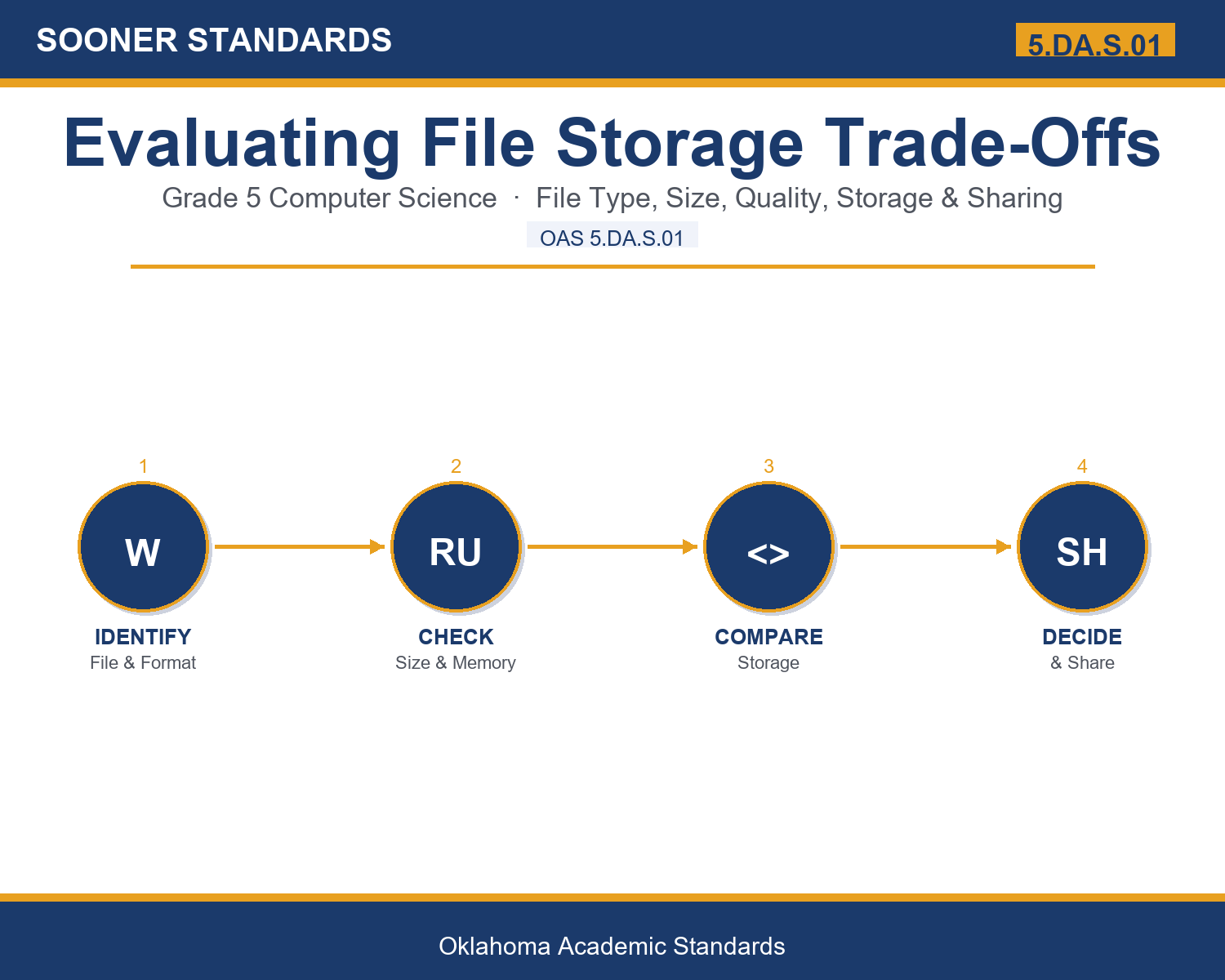
In plain language: Oklahoma's standard asks fifth graders to weigh the trade-offs of saving and sharing files, thinking about the file type, how big it is, how much device space is left, how good it needs to look, and how it will be shared.
In student-friendly terms, the learning target is: "I can evaluate the trade-offs of storing and sharing a file, including its type, size, quality, availability, and how it will be shared."
What Students Should Be Able to Do
- I can explain how a file's type and format affect its size and how it can be shared.
- I can compare file size to available memory and explain why storage is limited.
- I can describe the trade-offs of storing files on a device, an external drive, or the cloud.
- I can decide when to keep high quality and when to compress a file, and explain my reasoning.
Along the way, students pick up the working vocabulary of the topic: file, format, storage, memory, megabyte, quality, resolution, compression, cloud, drive, backup, access, sharing.
File Storage: Misconceptions to Watch For
These are the wrong turns students reliably take with this standard — knowing them ahead of time is half the lesson plan. Each correction strategy below comes straight from the unit's teacher guide (the paragraph and activity references point into the unit itself).
1. "Devices have unlimited storage, so file size does not really matter."
Use paragraph 3 and the packed-bookshelf image. Have students point to a real moment a device said it was full. Available memory is limited, so large files have real costs.
2. "Higher quality is always the better choice for every file."
Use paragraph 5. A tiny profile picture gains nothing from huge resolution. Match quality to how the file will actually be used; sometimes smaller is smarter.
3. "Storing files in the cloud has no downsides."
Use paragraph 4. Cloud files usually need internet to reach, and free space runs out. Every storage location has a trade-off, including the cloud.
4. "Compression is free and never changes the file."
Use paragraph 5. Distinguish lossless (no quality lost) from lossy (smaller but some detail gone for good). Compression is a trade-off, not magic.
Discussion Starters You Can Use Tomorrow
- Have you ever run out of storage on a device? What did you have to give up to make room?
- When is it worth keeping a file in the highest quality, and when is smaller actually better?
- Why might the same video be easy for one classmate to open but impossible for another?
Bringing It Home
This topic is a natural one for families. One ten-minute activity to try: Together, look at how much storage space is left on a family device and find the largest files using it, such as videos or photo collections. Ask your child to explain the trade-offs of keeping, compressing, moving, or backing up those files, and decide as a family on one storage habit to try this month.
Where This Leads
Students who can evaluate the trade-offs of storing and sharing a file, including its type, size, quality, availability, and how it will be shared are building skills used every day in data management, photography and media, video editing, information technology, and digital archiving.
Part of the Complete Grade 5 Computer Science Curriculum
This lesson covers just one standard. It is part of a complete grade 5 computer science curriculum aligned to every Oklahoma OAS CS standard. See the full listing — every standard, organized by strand — here: Grade 5 Computer Science Curriculum: Every Oklahoma OAS CS Standard.
See the Unit in Action
Get the Complete 5.DA.S.01 Unit
I built a complete, no-prep unit for this standard — Evaluating File Storage Trade-Offs — covering 3-4 days of instruction across 40 pages:
- Teacher guide — day-by-day pacing, misconceptions to watch for, discussion questions, differentiation for support / ELL / extension, and a 4-point rubric
- Student learning target page — a kid-friendly "I can" statement with success criteria
- Full content lesson with 3 embedded "Check Your Understanding" checkpoints
- 12-question assessment (6 multiple choice, 4 true/false, 2 short answer) with a complete answer key, explanations, and exemplar responses
- Group activity — "Store It Smart: Weighing the Trade-Offs" (20-30 minutes)
- Individual activity — "My File Storage Decisions" (15-20 minutes)
- Crossword and word search built from all 13 vocabulary terms (with answer keys)
- Family connection letter — a plain-language page for parents, with dinner-table questions and a 10-minute home activity
- Certificate of achievement — ready to sign and send home
- File Scenario Card Set: Store It Smart (separate printable, 2 pages)
- Storage Trade-Offs Reference Notes (separate printable, 1 page)
- My File Storage Decisions (separate printable, 2 pages)
Get Evaluating File Storage Trade-Offs on Teachers Pay Teachers →
Every Sooner Standards resource is built directly from the official Oklahoma Academic Standards for Computer Science (February 2023) — standard text verified, never paraphrased from memory.