Grade 1 Oklahoma Computer Science Standards vs. CSTA National Standards: The Full Comparison
Oklahoma’s Grade 1 computer science standards draw from CSTA’s 1A band (Grades K-2), the national standards published by the Computer Science Teachers Association. This post compares every Grade 1 OAS-CS unit with its nearest CSTA standard and links to a free spreadsheet of the full comparison.
Edition note: this comparison uses the 2017 CSTA K-12 Computer Science Standards, the edition Oklahoma and Texas standards align with today. CSTA published a revised PK-12 edition in 2026 with new standard codes. Column “CSTA 2026” shows the 2026 code only where the match is strong; the full 2026 crosswalk is in progress.
The Headline Numbers
- 19 of 19 Grade 1 OAS-CS units were compared with the CSTA 1A (Grades K-2) band.
- 15 units are a strong match: the same skill at the same CSTA grade band.
- 3 units are a partial match: related, but with different scope or depth.
- 1 unit matches CSTA at a different grade band.
- Every unit maps to a CSTA standard.
Where Grade 1 Differs From CSTA
Most of Grade 1 lines up closely. These units do not match a CSTA standard one for one:
- 1.DA.S.01 (Saving and Finding Your Files): CSTA’s standard covers a broader set of data operations (store, copy, search, retrieve, modify, delete); OAS narrows this to file naming/saving/organization specifically.
- 1.IC.CU.01 (Technology at Work and Home): CSTA’s standard is about comparing life before/after new technology; OAS’s is about identifying current everyday uses of technology — related but not the same comparison.
- 1.IC.SLE.01 (Ways to Stay Safe Online): CSTA’s standard is specifically about login privacy and logging off; OAS’s is a broader general online-safety standard.
- 1.NI.NCO.01 (Connecting Devices to Share): CSTA has no network-communication standard at the 1A (K-2) band; the closest match (how information is transmitted across networks) is a grades 3-5 standard. OAS introduces the concept one band earlier.
Download the Full Comparison Spreadsheet
Every Grade 1 unit with its OAS code, Oklahoma standard text, nearest CSTA code, fit rating, and a plain-language comparison note, in a spreadsheet you can sort, filter, or print.
Download the Grade 1 OK vs. CSTA comparison (.xlsx)
For all grades at once, see the free Oklahoma OAS to CSTA crosswalk (PDF).
Full Standard-by-Standard Comparison
| OAS Code | Oklahoma Standard | CSTA 2017 Code | CSTA 2026 (strong matches) | Fit | Why | Resource |
|---|---|---|---|---|---|---|
| 1.AP.A.01 | With guidance, model daily processes and follow algorithms (sets of step-by-step instructions) to complete tasks verbally, kinesthetically, with robot devices, or a programming language. | 1A-AP-08 | — | Strong match | Both cover modeling daily processes as step-by-step algorithms. | View on TpT → |
| 1.AP.C.01 | With guidance, independently or collaboratively create programs to accomplish tasks using a programming language, robot device, or unplugged activity that includes sequencing and repetition. | 1A-AP-10 | E1-PRO-PD-04 | Strong match | Both cover developing programs with sequences and simple loops/repetition. | View on TpT → |
| 1.AP.M.01 | Decompose (break down) the steps needed to solve a simple problem. | 1A-AP-11 | E1-ALG-PS-01 | Strong match | Near-exact match on decomposing a problem into a sequence of instructions. | View on TpT → |
| 1.AP.PD.01 | Independently or with guidance, create a grade-level appropriate artifact to illustrate thoughts, ideas, or stories in a sequential (step-by-step) manner (e.g., story map, storyboard, and sequential graphic organizer). | 1A-AP-12 | — | Strong match | Both cover planning a sequence of events/outcomes before building, via story maps/storyboards. | View on TpT → |
| 1.AP.PD.02 | Independently or with guidance give credit to ideas, creations and solutions of others while writing and/or developing programs. | 1A-AP-13 | — | Strong match | Exact match — giving attribution to others’ ideas/creations when developing programs. | View on TpT → |
| 1.AP.PD.03 | With guidance, independently or collaboratively debug programs using a programming language and/or unplugged activity that includes sequencing and repetition. | 1A-AP-14 | E1-PRO-TR-07 | Strong match | Exact match — debugging programs with sequences and simple loops. | View on TpT → |
| 1.AP.PD.04 | Use correct terminology (e.g., first, second, third) and explain the choices made in the development of an algorithm to solve a simple problem. | 1A-AP-15 | — | Strong match | Both cover describing steps/choices made during algorithm development using correct terminology. | View on TpT → |
| 1.AP.V.01 | With guidance, model the way that a program accesses stored data using a variable name. | 1A-AP-09 | — | Strong match | Both cover modeling how programs store/access data using variables. | View on TpT → |
| 1.CS.D.01 | With guidance, select and use a computing device to perform a variety of tasks for an intended outcome. | 1A-CS-01 | — | Strong match | Both cover selecting and using a device/software to perform a task for an outcome. | View on TpT → |
| 1.CS.HS.01 | Use appropriate terminology in naming and describing the function of common computing devices and components (e.g., mouse is used to control the cursor). | 1A-CS-02 | E1-SYS-HW-11 | Strong match | Both cover using correct terminology to identify hardware components. | View on TpT → |
| 1.CS.T.01 | Identify, using accurate terminology, simple hardware and software problems that may occur during use (e.g., program is not working as expected, no sound is coming from the device, caps lock turned on). | 1A-CS-03 | — | Strong match | Near-exact match — identifying hardware/software problems using accurate terminology. | View on TpT → |
| 1.DA.CVT.01 | With guidance, collect data and present it two different ways. | 1A-DA-06 | — | Strong match | Both cover collecting and presenting the same data in different visual formats. | View on TpT → |
| 1.DA.IM.01 | With guidance, identify and interpret data from a chart, bar graph, or pictograph (visualization) in order to draw conclusions, with or without a computing device. | 1A-DA-07 | — | Strong match | Both cover reading a data visualization to draw conclusions/make predictions. | View on TpT → |
| 1.DA.S.01 | With guidance locate, open, modify and save an existing file, use appropriate file-naming conventions, and recognize that the file exists within an organizational structure (e.g., drive, folder, file). | 1A-DA-05 | — | Partial match | CSTA’s standard covers a broader set of data operations (store, copy, search, retrieve, modify, delete); OAS narrows this to file naming/saving/organization specifically. | View on TpT → |
| 1.IC.CU.01 | Identify how people use different types of technologies in their daily work and personal lives. | 1A-IC-16 | E1-SOC-CE-16 | Partial match | CSTA’s standard is about comparing life before/after new technology; OAS’s is about identifying current everyday uses of technology — related but not the same comparison. | View on TpT → |
| 1.IC.SI.01 | With guidance, identify appropriate and inappropriate behavior, act responsibly, and know how to report concerns while participating in an online community. | 1A-IC-17 | — | Strong match | Both cover working/behaving responsibly and appropriately in online interactions. | View on TpT → |
| 1.IC.SLE.01 | Identify ways to stay safe online. | 1A-IC-18 | — | Partial match | CSTA’s standard is specifically about login privacy and logging off; OAS’s is a broader general online-safety standard. | View on TpT → |
| 1.NI.CY.01 | Identify what passwords are; explain why they are not shared and discuss what makes a password strong. Independently, use passwords to access computing devices. | 1A-NI-04 | E1-SYS-SE-12 | Strong match | Exact match — what passwords are, why they matter, and using strong passwords. | View on TpT → |
| 1.NI.NCO.01 | Recognize that by connecting computing devices together, they can share information (e.g., remote storage, printing, the Internet). | 1B-NI-04 | — | Different band | CSTA has no network-communication standard at the 1A (K-2) band; the closest match (how information is transmitted across networks) is a grades 3-5 standard. OAS introduces the concept one band earlier. | View on TpT → |
CSTA standard codes are cited as identifiers only; this post does not reproduce CSTA’s standard text (CSTA K-12 CS Standards, Revised 2017, are licensed CC BY-NC-SA 4.0 and are available free at csteachers.org/k12standards). This is an independent comparison and is not endorsed by CSTA or the Oklahoma State Department of Education.
Get the Complete Grade 1 Curriculum
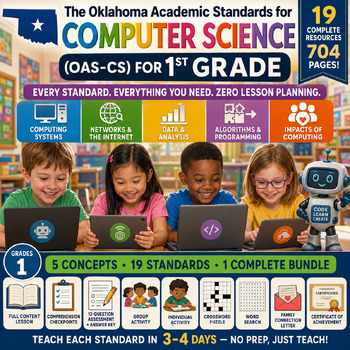
Every standard in the comparison above has a matching no-prep unit — teacher guide, activities, assessment, and answer key — built directly from the verified Oklahoma standard text. All 19 are available individually above, or as a complete bundle on Teachers Pay Teachers.
Check Out the Grade 1 Computer Science Bundle on TpT →
Every Sooner Standards resource is built directly from the official Oklahoma Academic Standards for Computer Science (February 2023) — standard text taken directly from the source document.