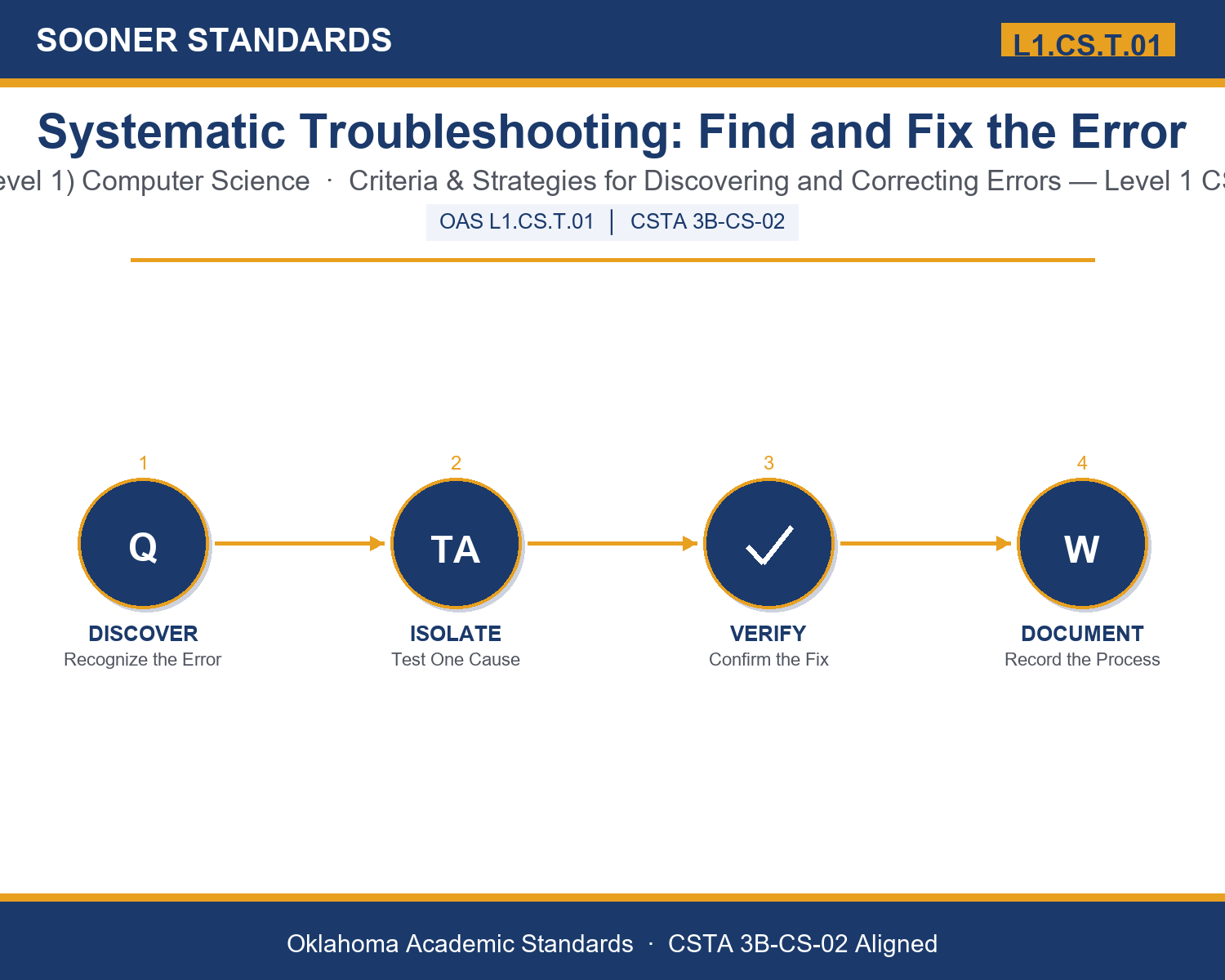
Teaching Systematic Troubleshooting: Find and Fix the Error in Grades 9-10 (Level 1): Oklahoma Standard L1.CS.T.01
Teaching Systematic Troubleshooting: Find and Fix the Error in Grades 9-10 (Level 1): Oklahoma Standard L1.CS.T.01
Teaching troubleshooting computing systems in grades 9-10 (level 1) does not have to be complicated. Picture an IT support specialist isolating whether a printer problem is a cable, a driver, or a network setting. That kind of thinking is exactly what Oklahoma's grades 9-10 (level 1) computer science standard L1.CS.T.01 asks students to practice — and it is very teachable with the right materials. This post walks through what the standard means, the misconceptions students bring to it, and discussion starters you can use tomorrow, whether you teach in a classroom or at your kitchen table.
What Does Standard L1.CS.T.01 Actually Ask?
Develop and apply criteria for the systematic discovery of errors and systematic strategies for the correction of errors in computing systems. — Oklahoma Academic Standards for Computer Science (February 2023)
In plain language: This standard asks Level 1 students (grades 9-10) to develop a clear, reusable set of criteria for recognizing when a computing system has a genuine error, and to apply systematic, step-by-step strategies for figuring out the cause and correcting it.
In student-friendly terms, the learning target is: "I can develop and apply criteria for systematically discovering errors in computing systems and use systematic strategies to correct those errors."
What Students Should Be Able to Do
- I can distinguish a symptom from the actual cause of a computing error.
- I can form testable hypotheses and isolate variables one at a time to find the true cause of a problem.
- I can correct an error and verify the fix worked without introducing a new problem.
- I can explain why documenting a troubleshooting process helps others solve the same problem faster.
Along the way, students pick up the working vocabulary of the topic: error, debug, symptom, hypothesis, isolate, reproduce, criteria, diagnostic, documentation, escalation, workaround, regression, malfunction.
Troubleshooting Computing Systems: Misconceptions to Watch For
These are the wrong turns students reliably take with this standard — knowing them ahead of time is half the lesson plan. Each correction strategy below comes straight from the unit's teacher guide (the paragraph and activity references point into the unit itself).
1. "A symptom and the actual cause of a computing error are the same thing."
Return to paragraph 2. A symptom is only an observable sign; the same symptom can have several different underlying causes, which is why isolation and diagnosis matter.
2. "Changing several possible causes at once is more efficient than testing one at a time."
Point back to paragraph 4. Testing multiple factors at once might fix the problem, but the troubleshooter will not know which change actually mattered, which makes the same problem harder to solve reliably next time.
3. "Once a fix appears to work, the troubleshooting process is finished."
Emphasize paragraph 6's discussion of verification and regressions. A fix must be verified to confirm it resolved the original problem without introducing a new one.
4. "AI diagnostic tools can be trusted to identify the cause of a problem without further testing."
Revisit the Emerging Technology & AI Connection. An AI-suggested cause is a hypothesis, not a confirmed diagnosis, and still requires systematic isolation and verification.
Discussion Starters You Can Use Tomorrow
- Think of a tech support experience you or your family has had. Which stage of systematic troubleshooting (reproduce, isolate, diagnose, verify) do you think was skipped, if any?
- Why might a team deliberately use a temporary workaround instead of waiting for a fully verified fix?
- Describe a real-world problem where skipping the isolation step and changing everything at once would waste significant time, even if the problem eventually got solved.
Bringing It Home
This topic is a natural one for families. One ten-minute activity to try: Together, pick a real tech problem your family has dealt with recently — a device that won't connect, an app that crashes, a slow computer. Ask your student to walk through it out loud as if explaining it to someone learning to troubleshoot for the first time: what was the symptom, what were some possible causes, and how would you test each one before fixing it? There are no wrong answers — the goal is hearing their reasoning.
Where This Leads
Students who can develop and apply criteria for systematically discovering errors in computing systems and use systematic strategies to correct those errors are building skills used every day in IT support, software quality assurance, network administration, and systems engineering.
See the Unit in Action
Get the Complete L1.CS.T.01 Unit
I built a complete, no-prep unit for this standard — Systematic Troubleshooting: Finding and Fixing Errors in Computing Systems — covering 3-4 days of instruction across 43 pages:
- Teacher guide — day-by-day pacing, misconceptions to watch for, discussion questions, differentiation for support / ELL / extension, and a 4-point rubric
- Student learning target page — a kid-friendly "I can" statement with success criteria
- Full content lesson with 3 embedded "Check Your Understanding" checkpoints
- 12-question assessment (6 multiple choice, 4 true/false, 2 short answer) with a complete answer key, explanations, and exemplar responses
- Group activity — "Troubleshoot It: The Systematic Diagnostic Challenge" (25-30 minutes)
- Individual activity — "My Troubleshooting Log" (20 minutes)
- Crossword and word search built from all 13 vocabulary terms (with answer keys)
- Family connection letter — a plain-language page for parents, with dinner-table questions and a 10-minute home activity
- Certificate of achievement — ready to sign and send home
- Scenario Card Set: Troubleshoot It (separate printable, 2 pages)
- Reference Sheet: Systematic Troubleshooting Steps (separate printable, 2 pages)
- My Troubleshooting Log (separate printable, 2 pages)
Get Systematic Troubleshooting: Find and Fix the Error on Teachers Pay Teachers →
Also compared with CSTA 2017 3A-CS-03
Every Sooner Standards resource is built directly from the official Oklahoma Academic Standards for Computer Science (February 2023) — standard text taken directly from the source document.