Teaching Layers of a Computer: Software Meets Hardware in Grades 9-10 (Level 1): Oklahoma Standard L1.CS.HS.01
Teaching Layers of a Computer: Software Meets Hardware in Grades 9-10 (Level 1): Oklahoma Standard L1.CS.HS.01
Teaching layers of a computer in grades 9-10 (level 1) does not have to be complicated. Picture an IT support specialist figuring out whether a broken laptop is a hardware, software, or driver problem. That kind of thinking is exactly what Oklahoma's grades 9-10 (level 1) computer science standard L1.CS.HS.01 asks students to practice — and it is very teachable with the right materials. This post walks through what the standard means, the misconceptions students bring to it, and discussion starters you can use tomorrow, whether you teach in a classroom or at your kitchen table.
What Does Standard L1.CS.HS.01 Actually Ask?
Analyze the levels of abstraction and interactions between application software, system software, and hardware. — Oklahoma Academic Standards for Computer Science (February 2023)
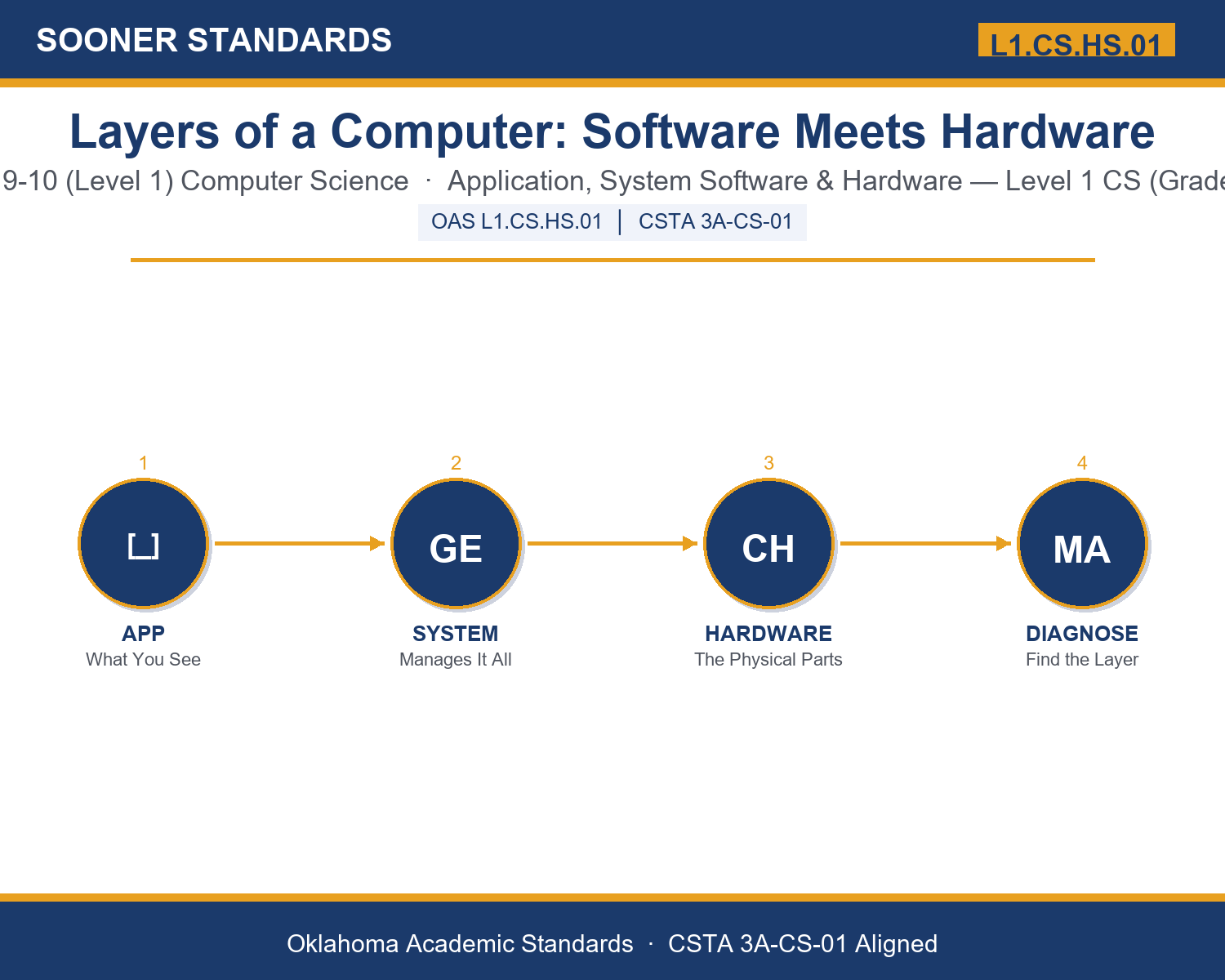
In plain language: This standard asks Level 1 students (grades 9-10) to analyze the levels of abstraction and interactions between the programs people open (application software), the software that manages the device (system software), and the physical parts of the device (hardware).
In student-friendly terms, the learning target is: "I can analyze the levels of abstraction and interactions between application software, system software, and hardware, and use that understanding to reason about how a computing system actually works."
What Students Should Be Able to Do
- I can define application software, system software, and hardware and give an example of each.
- I can explain how a request moves from an application, through system software, to hardware, and back.
- I can use the layers to diagnose which one is most likely responsible for a given technology problem.
- I can explain why abstraction lets the same application run on many different hardware configurations.
Along the way, students pick up the working vocabulary of the topic: abstraction, hardware, software, application, operatingsys, processor, memory, storage, interface, driver, kernel, protocol.
Layers Of A Computer: Misconceptions to Watch For
These are the wrong turns students reliably take with this standard — knowing them ahead of time is half the lesson plan. Each correction strategy below comes straight from the unit's teacher guide (the paragraph and activity references point into the unit itself).
1. "Applications communicate directly with hardware."
Return to paragraph 2. Applications talk to system software through an interface; system software manages the hardware on the application's behalf.
2. "Any technology problem must be a hardware problem."
Point back to paragraph 5's diagnostic reasoning: whether a problem is isolated to one application, affects the whole system, or persists after a restart points to a different layer each time.
3. "The operating system and 'the computer' are the same thing."
Emphasize the distinction in paragraph 3: the operating system is system software, one layer among three, that manages hardware — it is not the hardware itself.
4. "Abstraction means a layer's details never matter."
Revisit the Emerging Technology connection: hardware still matters for tasks like AI applications, even though abstraction usually hides that requirement from a casual user.
Discussion Starters You Can Use Tomorrow
- Think of a time a device you used stopped working. Based on what you now know, which layer do you think was most likely responsible, and why?
- Why might it be more efficient for accessibility features to live in system software instead of being built separately into every single application?
- Describe a real-world example (outside computers) where hiding complicated details behind a simpler layer makes something easier to use.
Bringing It Home
This topic is a natural one for families. One ten-minute activity to try: Together, pick a device your family uses and try to name one thing you can point to for each layer: an application you open, the operating system running underneath it, and one piece of hardware inside it. Talk about what would happen to that device if just one of those layers stopped working. There are no wrong answers — the goal is hearing their reasoning.
Where This Leads
Students who can analyze the levels of abstraction and interactions between application software, system software, and hardware, and use that understanding to reason about how a computing system actually works are building skills used every day in operating systems engineering, application development, hardware/embedded engineering, and IT support.
See the Unit in Action
Get the Complete L1.CS.HS.01 Unit
I built a complete, no-prep unit for this standard — Layers of a Computer: Understanding Application Software, System Software, and Hardware — covering 3-4 days of instruction across 41 pages:
- Teacher guide — day-by-day pacing, misconceptions to watch for, discussion questions, differentiation for support / ELL / extension, and a 4-point rubric
- Student learning target page — a kid-friendly "I can" statement with success criteria
- Full content lesson with 3 embedded "Check Your Understanding" checkpoints
- 12-question assessment (6 multiple choice, 4 true/false, 2 short answer) with a complete answer key, explanations, and exemplar responses
- Group activity — "Diagnose the Layer: Tech Support Challenge" (25-30 minutes)
- Individual activity — "My Device Layer Map" (20 minutes)
- Crossword and word search built from all 12 vocabulary terms (with answer keys)
- Family connection letter — a plain-language page for parents, with dinner-table questions and a 10-minute home activity
- Certificate of achievement — ready to sign and send home
- Scenario Card Set: Diagnose the Layer (separate printable, 2 pages)
- Reference Sheet: Diagnosing the Layer (separate printable, 1 page)
- My Device Layer Map (separate printable, 1 page)
Get Layers of a Computer: Software Meets Hardware on Teachers Pay Teachers →
Also compared with CSTA 2017 3A-CS-02
Every Sooner Standards resource is built directly from the official Oklahoma Academic Standards for Computer Science (February 2023) — standard text taken directly from the source document.