Teaching Breaking Down Tasks & Timelines in Grade 6: Oklahoma Standard 6.AP.PD.04
Teaching Breaking Down Tasks & Timelines in Grade 6: Oklahoma Standard 6.AP.PD.04
Picture a project manager decomposing a large software project into tasks, timelines, and milestones. That kind of thinking is exactly what Oklahoma's grade 6 computer science standard 6.AP.PD.04 asks students to practice — and it is very teachable with the right materials. This post walks through what the standard means, the misconceptions students bring to it, and discussion starters you can use tomorrow, whether you teach in a classroom or at your kitchen table.
What Does Standard 6.AP.PD.04 Actually Ask?
Break down tasks and follow an individual timeline when developing a computational artifact. — Oklahoma Academic Standards for Computer Science (February 2023)
In plain language: Oklahoma's standard asks sixth graders to break a computing project into smaller tasks and follow a personal timeline while building it.
In student-friendly terms, the learning target is: "I can break down tasks and follow an individual timeline when developing a computational artifact."
What Students Should Be Able to Do
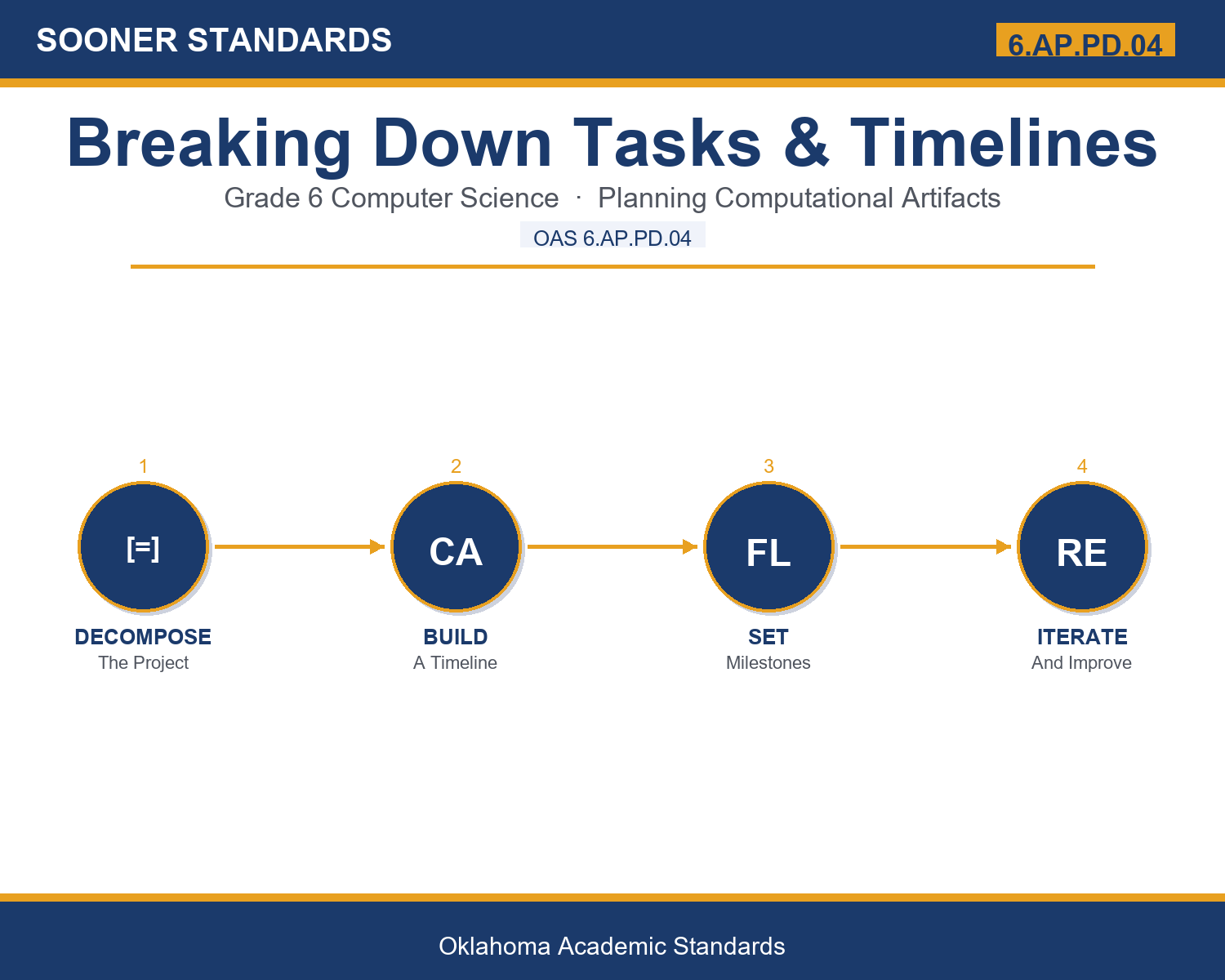
- I can decompose a project into comprehensive major tasks and detailed subtasks.
- I can build a timeline with realistic time estimates based on my own skills and constraints.
- I can identify meaningful milestones and accurately map task dependencies.
- I can explain how repeated cycles of testing and improving lead to a better final artifact.
Along the way, students pick up the working vocabulary of the topic: decomposition, timeline, milestone, artifact, iteration, dependency, ganttchart, subtask, deliverable, flowchart, prototyping, versioncontrol.
Misconceptions to Watch For
These are the wrong turns students reliably take with this standard — knowing them ahead of time is half the lesson plan. Each correction strategy below comes straight from the unit's teacher guide (the paragraph and activity references point into the unit itself).
1. "A good timeline should be the same for every student working on a similar project."
Use paragraph 2's key point — every person works at a different pace and faces different constraints, so individual timelines are crucial rather than one-size-fits-all.
2. "Tasks that seem simple don't need to be broken into subtasks."
Reference paragraph 6 — a task that initially seems simple, like 'create a login system,' often contains many hidden subtasks that each require real time and effort.
3. "The first version of a project should be close to perfect."
Point to paragraph 4's framing — the first version is rarely perfect, and professional developers expect to improve through repeated iteration rather than aiming for instant perfection.
4. "All tasks in a project have to happen one after another in a strict line."
Clarify from paragraph 7 — some tasks can happen in parallel; only tasks with a real dependency relationship must follow a specific order.
Discussion Starters You Can Use Tomorrow
- Why might two students working on the exact same kind of project need very different timelines?
- What's the difference between a 'task' and a 'subtask'? Can you give an example from your own life?
- Why do you think professional developers use tools like Gantt charts instead of just keeping a list in their head?
Bringing It Home
This topic is a natural one for families. One ten-minute activity to try: Together, pick a real upcoming task (planning a trip, organizing a room, learning a new skill) and break it into 5-6 smaller steps with a rough timeline for each.
Where This Leads
Students who can break down tasks and follow an individual timeline when developing a computational artifact are building skills used every day in project management, software development, game design, agile/scrum coaching, and computer science education.
See the Unit in Action
Get the Complete 6.AP.PD.04 Unit
I built a complete, no-prep unit for this standard — Breaking Down Tasks and Following Individual Timelines for Computational Artifacts — covering 3-4 days of instruction across 37 pages:
- Teacher guide — day-by-day pacing, misconceptions to watch for, discussion questions, differentiation for support / ELL / extension, and a 4-point rubric
- Student learning target page — a kid-friendly "I can" statement with success criteria
- Full content lesson with 3 embedded "Check Your Understanding" checkpoints
- 12-question assessment (6 multiple choice, 4 true/false, 2 short answer) with a complete answer key, explanations, and exemplar responses
- Group activity — "Collaborative Game Design with Timeline Planning" (45-60 minutes)
- Individual activity — "Personal Project Planning Portfolio" (40-50 minutes, possibly extending as homework)
- Crossword and word search built from all 12 vocabulary terms (with answer keys)
- Family connection letter — a plain-language page for parents, with dinner-table questions and a 10-minute home activity
- Certificate of achievement — ready to sign and send home
- Sample Game Design Briefs (Group Activity) (separate printable, 1 page)
- Personal Project Planning Portfolio Template (separate printable, 2 pages)
Get Breaking Down Tasks & Timelines on Teachers Pay Teachers →
Every Sooner Standards resource is built directly from the official Oklahoma Academic Standards for Computer Science (February 2023) — standard text taken directly from the source document.