Teaching Systematic Testing & Debugging in Grade 8: Oklahoma Standard 8.AP.PD.03
Teaching Systematic Testing & Debugging in Grade 8: Oklahoma Standard 8.AP.PD.03
Teaching testing and debugging in grade 8 does not have to be complicated. Picture a quality assurance engineer running hundreds of automated tests every time a company updates its app. That kind of thinking is exactly what Oklahoma's grade 8 computer science standard 8.AP.PD.03 asks students to practice — and it is very teachable with the right materials. This post walks through what the standard means, the misconceptions students bring to it, and discussion starters you can use tomorrow, whether you teach in a classroom or at your kitchen table.
What Does Standard 8.AP.PD.03 Actually Ask?
Systematically test and refine programs using a range of student created inputs. — Oklahoma Academic Standards for Computer Science (February 2023)
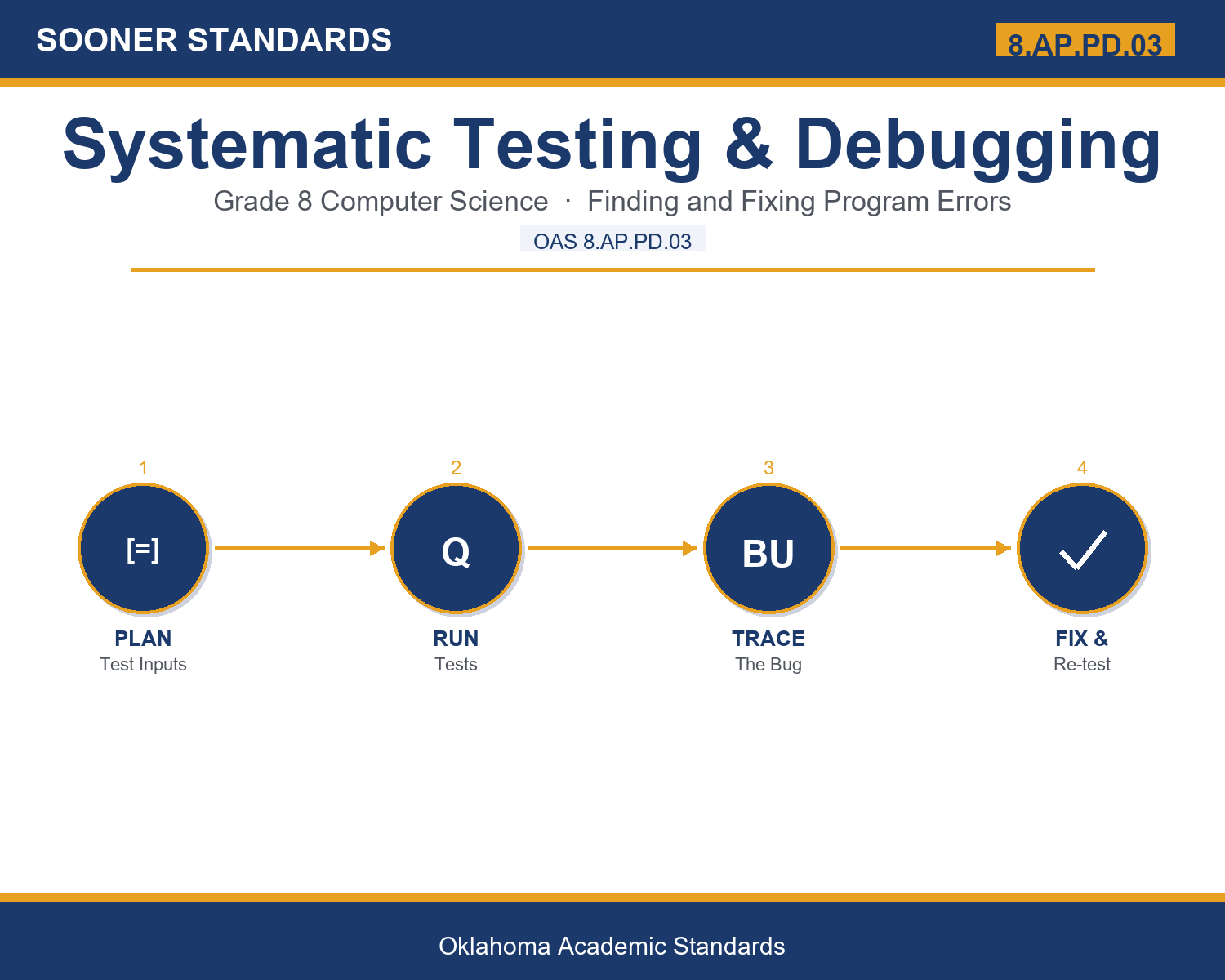
In plain language: Oklahoma's standard asks eighth graders to systematically test and refine a program using a range of inputs they create themselves — not just the easy, obvious examples, but ones specifically chosen to try to break the program.
In student-friendly terms, the learning target is: "I can systematically test and refine a program using a range of inputs I create myself, including normal, boundary, and invalid values."
What Students Should Be Able to Do
- I can write a test plan that includes normal, boundary, and invalid inputs.
- I can trace a program's execution to find the exact line where a logic error occurs.
- I can use regression testing to confirm a fix did not break something else.
- I can explain what test coverage measures and why 100% coverage does not guarantee a bug-free program.
Along the way, students pick up the working vocabulary of the topic: systematic, debugging, tracing, exception, validation, regression, coverage, boundary, scenario, testing, automated, condition, assertion.
Testing And Debugging: Misconceptions to Watch For
These are the wrong turns students reliably take with this standard — knowing them ahead of time is half the lesson plan. Each correction strategy below comes straight from the unit's teacher guide (the paragraph and activity references point into the unit itself).
1. "If a program runs without crashing, it must be correct."
Return to the definition of a logic error in paragraph 4 — a program can run perfectly and still produce the wrong answer. Have students trace a small loop that runs one time too many to see a 'working' program give a wrong result.
2. "Testing a few typical, middle-range values is enough to prove a program works."
Use the boundary testing example in paragraph 3 (scores 0-100). Ask students to find a boundary bug that only shows up at -1, 0, 100, or 101 — never at 50.
3. "100% test coverage means a program has no bugs."
Use paragraph 8 directly: coverage measures how much code was executed, not whether the results were checked carefully. A test can 'cover' a line without verifying its output is actually correct.
4. "Fixing a bug in one place can't possibly affect other parts of the program."
Use the regression testing example in paragraph 7 (fixing the login screen broke the save button). Code in different parts of a program often interacts in ways that are not obvious.
Discussion Starters You Can Use Tomorrow
- Why might a professional software team consider a bug that only appears with unusual inputs just as serious as a bug that appears with typical inputs?
- What is the difference between finding a bug and fixing a bug? Can you have one without the other?
- If you were testing a program that calculates change for a cash register, what boundary values would you make sure to test?
Bringing It Home
This topic is a natural one for families. One ten-minute activity to try: Together, pick an app or website you use at home. Ask your child to imagine three unusual things a user might try (an empty search box, a very long name, tapping a button twice quickly) and predict what might go wrong. There are no wrong answers — the goal is practicing the habit of thinking like a tester.
Where This Leads
Students who can systematically test and refine a program using a range of inputs I create myself, including normal, boundary, and invalid values are building skills used every day in quality assurance engineering, software development, DevOps, and IT support.
See the Unit in Action
Get the Complete 8.AP.PD.03 Unit
I built a complete, no-prep unit for this standard — Systematic Testing and Debugging: Finding and Fixing Program Errors — covering 3-4 days of instruction across 30 pages:
- Teacher guide — day-by-day pacing, misconceptions to watch for, discussion questions, differentiation for support / ELL / extension, and a 4-point rubric
- Student learning target page — a kid-friendly "I can" statement with success criteria
- Full content lesson with 3 embedded "Check Your Understanding" checkpoints
- 12-question assessment (6 multiple choice, 4 true/false, 2 short answer) with a complete answer key, explanations, and exemplar responses
- Group activity — "Bug Hunt Challenge" (25-35 minutes)
- Individual activity — "Trace and Fix" (15-20 minutes)
- Crossword and word search built from all 13 vocabulary terms (with answer keys)
- Family connection letter — a plain-language page for parents, with dinner-table questions and a 10-minute home activity
- Certificate of achievement — ready to sign and send home
- Bug Hunt Program & Testing Quick Reference (separate printable, 1 page)
- Test Plan Recording Sheet & Trace and Fix Worksheet (separate printable, 2 pages)
Get Systematic Testing & Debugging on Teachers Pay Teachers →
Every Sooner Standards resource is built directly from the official Oklahoma Academic Standards for Computer Science (February 2023) — standard text verified, never paraphrased from memory.