Teaching Computing and Everyday Life: Evaluate the Impact in Grades 9-10 (Level 1): Oklahoma Standard L1.IC.CU.01
Teaching Computing and Everyday Life: Evaluate the Impact in Grades 9-10 (Level 1): Oklahoma Standard L1.IC.CU.01
Teaching computing impacts society in grades 9-10 (level 1) does not have to be complicated. Picture a policy analyst evaluating whether a hiring algorithm shows measurable bias against certain applicant groups. That kind of thinking is exactly what Oklahoma's grades 9-10 (level 1) computer science standard L1.IC.CU.01 asks students to practice — and it is very teachable with the right materials. This post walks through what the standard means, the misconceptions students bring to it, and discussion starters you can use tomorrow, whether you teach in a classroom or at your kitchen table.
What Does Standard L1.IC.CU.01 Actually Ask?
Evaluate the ways computing impacts personal, ethical, social, economic, and cultural practices. — Oklahoma Academic Standards for Computer Science (February 2023)
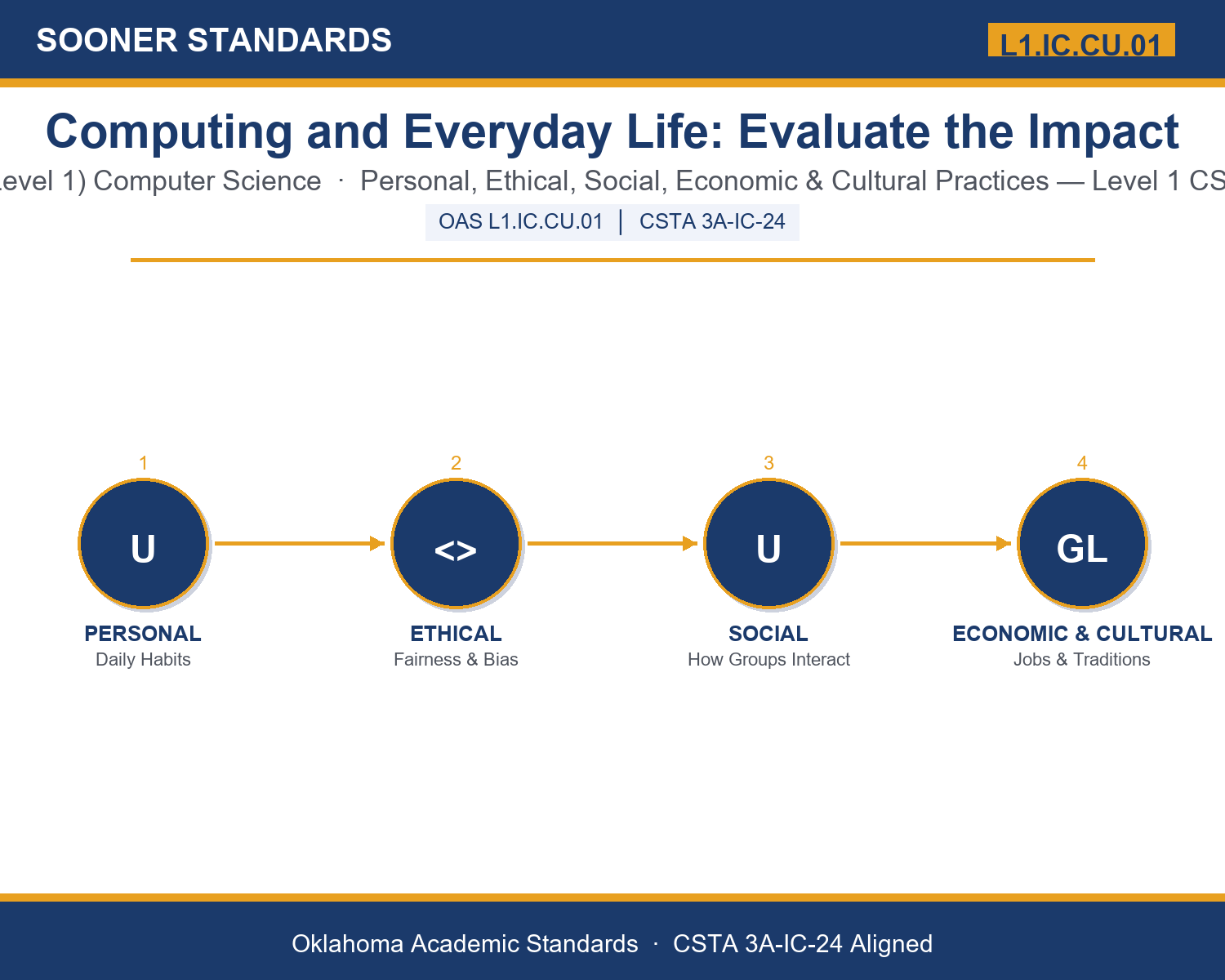
In plain language: This standard asks Level 1 students (grades 9-10) to evaluate the ways computing technology affects personal habits, fairness, how groups of people interact, jobs and money, and cultural traditions — and to reach a defensible judgment about whether a given impact is more beneficial or more harmful, and for whom.
In student-friendly terms, the learning target is: "I can evaluate the ways computing impacts personal, ethical, social, economic, and cultural practices, and defend a specific judgment about whether an impact is more beneficial or more harmful, and for whom."
What Students Should Be Able to Do
- I can distinguish between the personal, ethical, social, economic, and cultural lenses and identify which one a given computing impact calls for.
- I can identify who benefits and who bears the cost of a specific computing technology.
- I can support an evaluative judgment with specific evidence rather than opinion alone.
- I can explain how the digital divide and algorithmic bias affect who experiences computing's benefits and harms.
Along the way, students pick up the working vocabulary of the topic: algorithm, automation, equity, privacy, bias, divide, surveillance, globalization, displacement, platform, accessibility, regulation.
Computing Impacts Society: Misconceptions to Watch For
These are the wrong turns students reliably take with this standard — knowing them ahead of time is half the lesson plan. Each correction strategy below comes straight from the unit's teacher guide (the paragraph and activity references point into the unit itself).
1. "Evaluating a technology just means describing what it does."
Return to paragraph 1. Evaluation requires weighing evidence and reaching a defensible judgment about whether an impact is beneficial or harmful, and for whom — description alone is not evaluation.
2. "If a computing practice is legal, it must also be ethical."
Point back to paragraph 3's discussion of algorithmic bias. A practice can be perfectly legal while still raising serious fairness concerns; legality and ethics are related but separate questions.
3. "A technology's impact is either entirely good or entirely bad for everyone."
Emphasize the pattern named across paragraphs 4-5: computing's benefits and costs are usually distributed unevenly, helping one group while disadvantaging another, rather than affecting everyone the same way.
4. "Regulation permanently and completely solves the unequal impacts of a computing technology."
Revisit paragraph 7. Regulation is described as an ongoing, evolving judgment that continues to shift as new technology outpaces legal systems, not a fixed, permanent fix.
Discussion Starters You Can Use Tomorrow
- Think of a computing technology you rely on daily. Who do you think benefits most from how it currently works, and who might bear the greatest cost?
- Why might two people evaluate the same computing technology and reach opposite conclusions about whether it is beneficial or harmful?
- Describe a real-world example where a computing impact spans more than one of the five lenses (personal, ethical, social, economic, cultural) at the same time.
Bringing It Home
This topic is a natural one for families. One ten-minute activity to try: Together, pick one piece of technology your family relies on regularly (a streaming service, a delivery app, a smart device). Ask your student to walk through who benefits most from how it currently works and who, if anyone, might be disadvantaged by it, using at least one of the five lenses from class. There are no wrong answers — the goal is hearing their reasoning.
Where This Leads
Students who can evaluate the ways computing impacts personal, ethical, social, economic, and cultural practices, and defend a specific judgment about whether an impact is more beneficial or more harmful, and for whom are building skills used every day in AI ethics and technology policy, UX research, data privacy, and digital economics and labor analysis.
See the Unit in Action
Get the Complete L1.IC.CU.01 Unit
I built a complete, no-prep unit for this standard — Computing and Everyday Life: Evaluating the Impacts of Technology — covering 3-4 days of instruction across 44 pages:
- Teacher guide — day-by-day pacing, misconceptions to watch for, discussion questions, differentiation for support / ELL / extension, and a 4-point rubric
- Student learning target page — a kid-friendly "I can" statement with success criteria
- Full content lesson with 3 embedded "Check Your Understanding" checkpoints
- 12-question assessment (6 multiple choice, 4 true/false, 2 short answer) with a complete answer key, explanations, and exemplar responses
- Group activity — "Evaluate the Impact: The Case Study Challenge" (25-30 minutes)
- Individual activity — "My Computing Impact Evaluation Log" (20 minutes)
- Crossword and word search built from all 12 vocabulary terms (with answer keys)
- Family connection letter — a plain-language page for parents, with dinner-table questions and a 10-minute home activity
- Certificate of achievement — ready to sign and send home
- Case Study Card Set: Evaluate the Impact (separate printable, 2 pages)
- Reference Sheet: Evaluating a Computing Impact (separate printable, 2 pages)
- My Computing Impact Evaluation Log (separate printable, 2 pages)
Get Computing and Everyday Life: Evaluate the Impact on Teachers Pay Teachers →
Also aligned to CSTA 3A-IC-24: Evaluate the impact of equity, access, and influence on the distribution of computing resources in a global society.
Every Sooner Standards resource is built directly from the official Oklahoma Academic Standards for Computer Science (February 2023) — standard text verified, never paraphrased from memory.