Teaching Modifying Existing Programs in Grades 11-12 (Level 2): Oklahoma Standard L2.AP.PD.07
Teaching Modifying Existing Programs in Grades 11-12 (Level 2): Oklahoma Standard L2.AP.PD.07
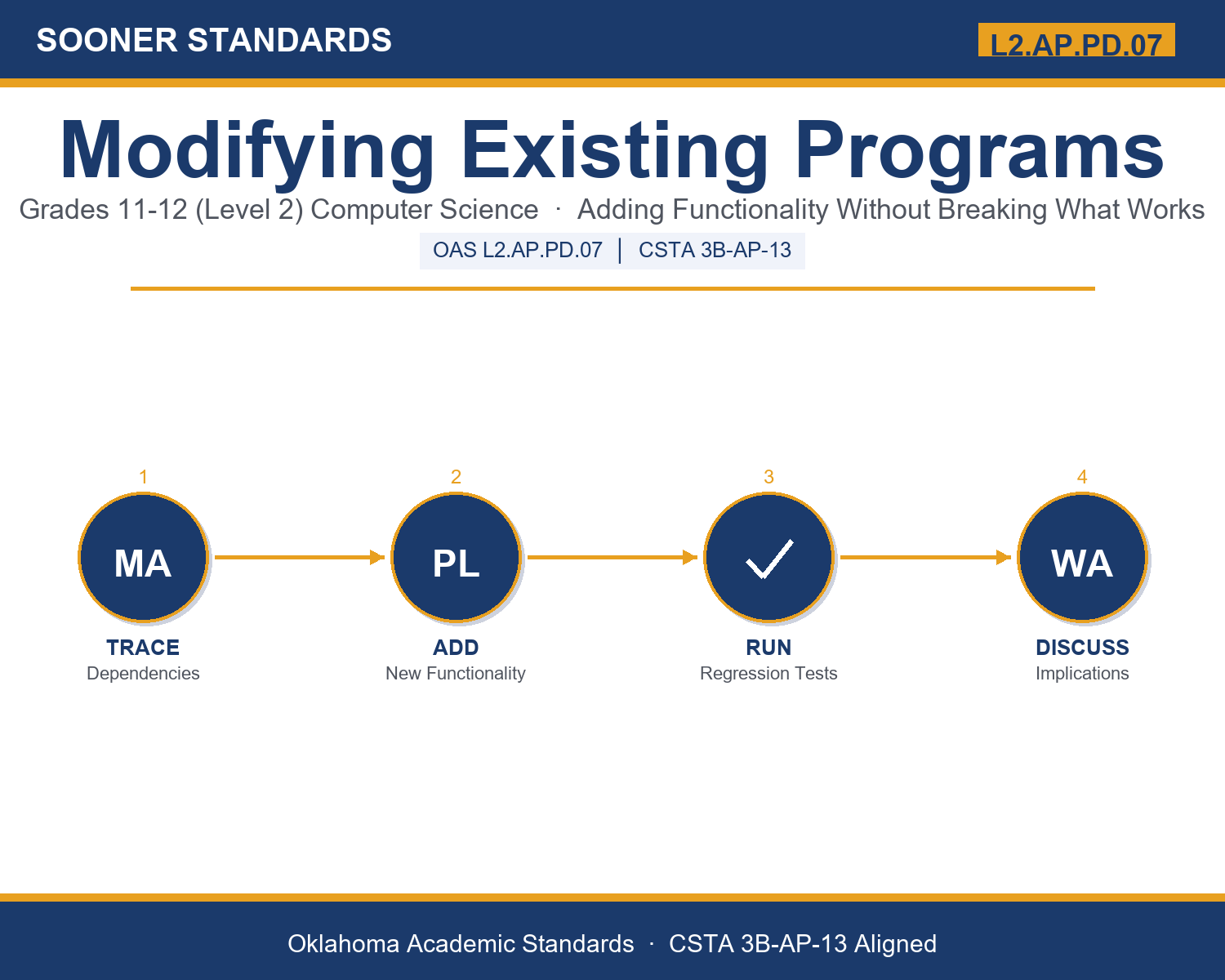
Teaching modifying computer programs in grades 11-12 (level 2) does not have to be complicated. Picture a software engineer adding a feature to production code while running regression tests to confirm nothing else broke. That kind of thinking is exactly what Oklahoma's grades 11-12 (level 2) computer science standard L2.AP.PD.07 asks students to practice — and it is very teachable with the right materials. This post walks through what the standard means, the misconceptions students bring to it, and discussion starters you can use tomorrow, whether you teach in a classroom or at your kitchen table.
What Does Standard L2.AP.PD.07 Actually Ask?
Modify an existing program to add additional functionality and discuss intended and unintended implications (e.g., breaking other functionality). — Oklahoma Academic Standards for Computer Science (February 2023)
In plain language: This standard asks students to change an existing program to add something new, and then to think through everything that change could affect — both what it is supposed to do and what it might accidentally break.
In student-friendly terms, the learning target is: "I can modify an existing program to add functionality, and I can discuss both the intended implications and the unintended implications (such as breaking other functionality) of that modification."
What Students Should Be Able to Do
- I can trace every place a function or module is used before proposing a change to it.
- I can state the intended implication of a proposed modification in specific, testable terms.
- I can predict a realistic unintended implication (side effect) a modification could cause on other functionality.
- I can explain the difference in risk between modifying a module's internal logic and modifying its interface.
Along the way, students pick up the working vocabulary of the topic: functionality, regression, refactor, dependency, compatibility, sideeffect, documentation, version, module, interface, deprecate, rollback.
Modifying Computer Programs: Misconceptions to Watch For
These are the wrong turns students reliably take with this standard — knowing them ahead of time is half the lesson plan. Each correction strategy below comes straight from the unit's teacher guide (the paragraph and activity references point into the unit itself).
1. "If new code compiles and runs without an error message, the modification must be safe."
Return to paragraph 4's discussion of regression testing. Point out that a program can run without crashing while still producing wrong results elsewhere; only checking existing functionality with a regression test suite reveals that kind of unintended implication.
2. "Only large changes to a program can break existing functionality; small changes are automatically safe."
Use the calculateDiscount example from paragraph 2. Show that even a one-line change to a widely used function can silently affect every place that function is called, regardless of how small the edit looks.
3. "Deleting old code is always cleaner and better than keeping it around as deprecated."
Return to paragraph 7's comparison of deprecation and deletion. Discuss how abrupt deletion forces every dependency to break at once, while deprecation gives a controlled transition period.
4. "Changing what happens inside a function is just as risky as changing what information it accepts or returns."
Use the module internals-versus-interface distinction from paragraph 6. Have students identify, for a few example changes, whether the interface changed or only the internal logic did, and discuss why that distinction changes the risk level.
Discussion Starters You Can Use Tomorrow
- Why might a professional team require a second programmer to review a modification before it is added to a shared program?
- Describe a real-world process (not a computer program) where changing one part could have an unintended effect on another part — where does that risk come from?
- If documentation describes a function's interface, why does updating documentation matter just as much as updating the code itself?
Bringing It Home
This topic is a natural one for families. One ten-minute activity to try: Together, pick a household routine that several people rely on (a chore rotation, a shared calendar, a family recipe) and have your student propose one improvement to it. Ask them to describe what the improvement is supposed to fix, and then to predict one thing that could go wrong for someone else in the family because of the change. There are no wrong answers — the goal is hearing their reasoning about consequences.
Where This Leads
Students who can modify an existing program to add functionality, and discuss both the intended implications and the unintended implications (such as breaking other functionality) of that modification are building skills used every day in software engineering, quality assurance / test engineering, release engineering / DevOps, technical leadership / code review, and computer science education.
See the Unit in Action
Get the Complete L2.AP.PD.07 Unit
I built a complete, no-prep unit for this standard — Modifying Existing Programs: Adding Functionality Without Breaking What Works — covering 3-4 days of instruction across 44 pages:
- Teacher guide — day-by-day pacing, misconceptions to watch for, discussion questions, differentiation for support / ELL / extension, and a 4-point rubric
- Student learning target page — a kid-friendly "I can" statement with success criteria
- Full content lesson with 3 embedded "Check Your Understanding" checkpoints
- 12-question assessment (6 multiple choice, 4 true/false, 2 short answer) with a complete answer key, explanations, and exemplar responses
- Group activity — "Modify It Safely: Dependency Maps and Regression Checklists" (25-30 minutes)
- Individual activity — "My Modification Log" (20-25 minutes)
- Crossword and word search built from all 12 vocabulary terms (with answer keys)
- Family connection letter — a plain-language page for parents, with dinner-table questions and a 10-minute home activity
- Certificate of achievement — ready to sign and send home
- Modification Scenario Card Set (separate printable, 2 pages)
- Reference Notes: Modifying Existing Programs Safely (separate printable, 2 pages)
- My Modification Log (separate printable, 2 pages)
Get Modifying Existing Programs on Teachers Pay Teachers →
Also compared with CSTA 2017 3B-AP-22
Every Sooner Standards resource is built directly from the official Oklahoma Academic Standards for Computer Science (February 2023) — standard text taken directly from the source document.