Teaching Build a Computational Artifact: Data In, Insight Out in Grades 9-10 (Level 1): Oklahoma Standard L1.AP.M.02
Teaching Build a Computational Artifact: Data In, Insight Out in Grades 9-10 (Level 1): Oklahoma Standard L1.AP.M.02
Teaching computational artifacts data in grades 9-10 (level 1) does not have to be complicated. Picture a student council organizing and processing survey data into an activity-interest chart. That kind of thinking is exactly what Oklahoma's grades 9-10 (level 1) computer science standard L1.AP.M.02 asks students to practice — and it is very teachable with the right materials. This post walks through what the standard means, the misconceptions students bring to it, and discussion starters you can use tomorrow, whether you teach in a classroom or at your kitchen table.
What Does Standard L1.AP.M.02 Actually Ask?
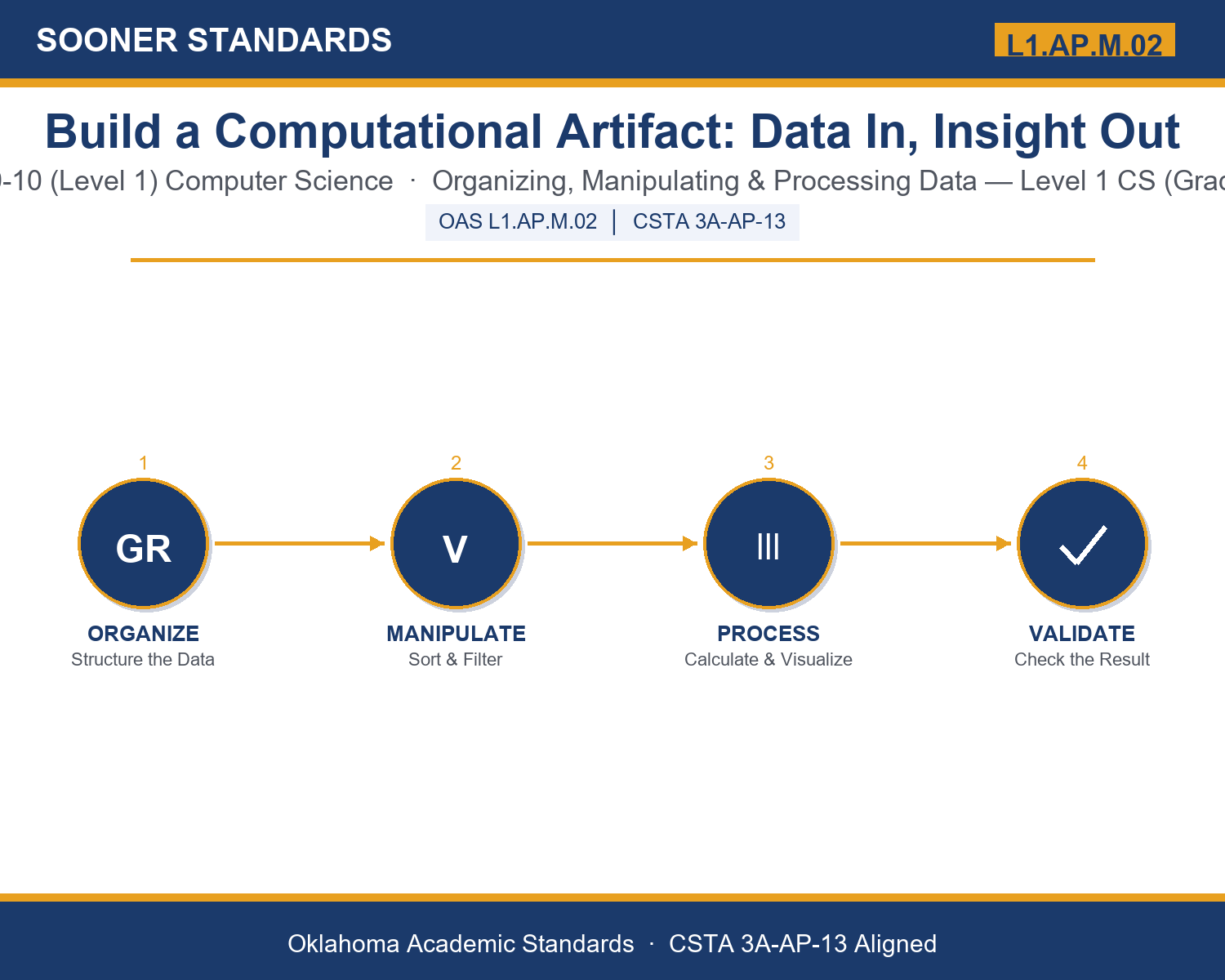
Create computational artifacts by systematically organizing, manipulating and/or processing data. — Oklahoma Academic Standards for Computer Science (February 2023)
In plain language: This standard asks Level 1 students (grades 9-10) to take raw, messy data and turn it into a finished, useful product — a chart, a table, an average — by giving it structure, changing it on purpose (like sorting or filtering), and running it through steps that produce a new result.
In student-friendly terms, the learning target is: "I can create a computational artifact by systematically organizing, manipulating, and processing data, and explain how each step affects the accuracy of the final result."
What Students Should Be Able to Do
- I can organize raw data into a consistent structure of records and attributes.
- I can manipulate data accurately by sorting, filtering, or combining it, and check my work for errors.
- I can process organized data into an aggregate or visualization that accurately reflects the underlying dataset.
- I can explain why validating data at every stage matters more than checking only the final result.
Along the way, students pick up the working vocabulary of the topic: artifact, dataset, structure, attribute, record, filter, sort, aggregate, visualization, validation, iteration, algorithm, variable.
Computational Artifacts Data: Misconceptions to Watch For
These are the wrong turns students reliably take with this standard — knowing them ahead of time is half the lesson plan. Each correction strategy below comes straight from the unit's teacher guide (the paragraph and activity references point into the unit itself).
1. "A computational artifact is just any finished chart or spreadsheet, regardless of how the data got there."
Return to paragraph 1. What makes it 'computational' is the systematic process behind it — organizing, manipulating, and processing — not just the finished look of the artifact.
2. "Data can be manipulated (sorted, filtered, combined) without checking for errors afterward."
Point back to paragraph 3. Every manipulation can introduce errors, and validation should happen after each one, not only at the very end.
3. "Organizing data is just a formatting formality that does not affect the accuracy of later results."
Emphasize the permission-slip example in paragraph 2. Inconsistent formatting during organizing directly causes errors in later sorting, filtering, and processing.
4. "A processed result, like a chart or average, is automatically accurate just because it looks clean and finished."
Revisit paragraph 7's discussion of trust. A finished-looking artifact can still be built on flawed data if validation was skipped along the way.
Discussion Starters You Can Use Tomorrow
- Think of an app or website you use that shows you a summary, chart, or average. What raw data do you think had to be organized and processed to create it?
- Why might organizing data carefully take longer than the actual calculation or chart-building step, and why is that extra time usually worth it?
- Describe a real-world situation where an unvalidated error in a dataset could seriously mislead the people relying on the finished artifact.
Bringing It Home
This topic is a natural one for families. One ten-minute activity to try: Together, pick a small real dataset your family already has — a week of grocery receipts, chore schedules, or screen-time logs. Ask your student to sort it, organize it into a simple table, and calculate one total or average from it, explaining each step out loud as if teaching a computer. There are no wrong answers — the goal is hearing their reasoning.
Where This Leads
Students who can create a computational artifact by systematically organizing, manipulating, and processing data, and explain how each step affects the accuracy of the final result are building skills used every day in data analysis, database administration, business intelligence, and research science.
See the Unit in Action
Get the Complete L1.AP.M.02 Unit
I built a complete, no-prep unit for this standard — Building Computational Artifacts: Organizing, Manipulating, and Processing Data — covering 3-4 days of instruction across 43 pages:
- Teacher guide — day-by-day pacing, misconceptions to watch for, discussion questions, differentiation for support / ELL / extension, and a 4-point rubric
- Student learning target page — a kid-friendly "I can" statement with success criteria
- Full content lesson with 3 embedded "Check Your Understanding" checkpoints
- 12-question assessment (6 multiple choice, 4 true/false, 2 short answer) with a complete answer key, explanations, and exemplar responses
- Group activity — "Build a Computational Artifact: The Club Interest Survey" (25-30 minutes)
- Individual activity — "My Computational Artifact Log" (20 minutes)
- Crossword and word search built from all 13 vocabulary terms (with answer keys)
- Family connection letter — a plain-language page for parents, with dinner-table questions and a 10-minute home activity
- Certificate of achievement — ready to sign and send home
- Raw Survey Data Cards: Club Interest Survey (separate printable, 2 pages)
- Reference Sheet: Organizing, Manipulating, and Processing Data (separate printable, 2 pages)
- My Computational Artifact Log (separate printable, 2 pages)
Get Build a Computational Artifact: Data In, Insight Out on Teachers Pay Teachers →
Also compared with CSTA 2017 3A-AP-18
Every Sooner Standards resource is built directly from the official Oklahoma Academic Standards for Computer Science (February 2023) — standard text taken directly from the source document.