Teaching Weighing Technology’s Impact on Society in Grades 11-12 (Level 2): Oklahoma Standard L2.IC.CU.01
Teaching Weighing Technology's Impact on Society in Grades 11-12 (Level 2): Oklahoma Standard L2.IC.CU.01
Teaching technology impact on society in grades 11-12 (level 2) does not have to be complicated. Picture a technology policy analyst weighing the effects of a new service on different communities. That kind of thinking is exactly what Oklahoma's grades 11-12 (level 2) computer science standard L2.IC.CU.01 asks students to practice — and it is very teachable with the right materials. This post walks through what the standard means, the misconceptions students bring to it, and discussion starters you can use tomorrow, whether you teach in a classroom or at your kitchen table.
What Does Standard L2.IC.CU.01 Actually Ask?
Evaluate the beneficial and harmful effects that computational artifacts and innovations have on society. — Oklahoma Academic Standards for Computer Science (February 2023)
In plain language: This standard asks students to weigh the good and the bad that apps, devices, and other computing inventions bring to society, and to reach a conclusion supported by evidence rather than by opinion alone.
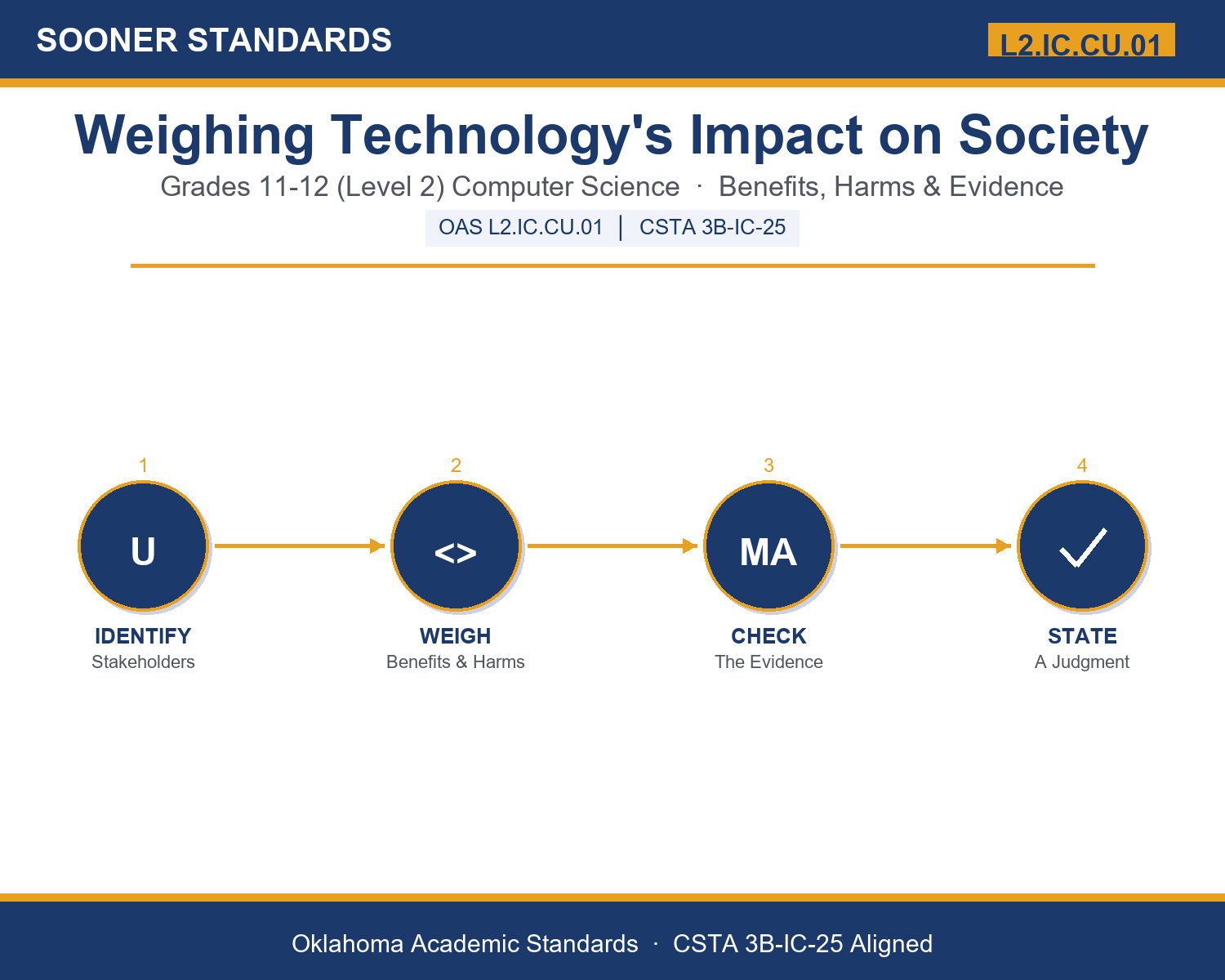
In student-friendly terms, the learning target is: "I can evaluate the beneficial and harmful effects that a computational artifact or innovation has on society by identifying who is affected, weighing the evidence, and reaching a supported judgment."
What Students Should Be Able to Do
- I can identify the stakeholders affected by a technology, including people who did not choose to use it.
- I can distinguish intended from unintended effects and short-term from long-term effects.
- I can use scale, reversibility, and evidence to decide how much weight an effect deserves.
- I can state a balanced conclusion that acknowledges the strongest consideration on the opposing side.
Along the way, students pick up the working vocabulary of the topic: artifact, innovation, evaluate, benefit, harm, stakeholder, unintended, consequence, tradeoff, equity, bias, automation, mitigate, privacy, scale.
Technology Impact On Society: Misconceptions to Watch For
These are the wrong turns students reliably take with this standard — knowing them ahead of time is half the lesson plan. Each correction strategy below comes straight from the unit's teacher guide (the paragraph and activity references point into the unit itself).
1. "Evaluating a technology means deciding whether it is good or bad."
Return to paragraph 1. Have students list three effects of a familiar technology and sort them by stakeholder; most technologies are good for some people in some ways and costly for others in others.
2. "The people who designed a technology determine its effects."
Use paragraph 3. Ask students to name an effect of a familiar app the designers likely did not plan, and discuss why the gap between intention and outcome is a finding.
3. "Only the people who use a technology need to be considered."
Return to paragraph 2 and the navigation-app example. Have students identify who bears the effects without having chosen the technology.
4. "If a technology's effects cannot be perfectly measured, any opinion is as good as any other."
Use paragraph 6. Have students rank sample claims from strongest to weakest evidence and explain why systematic testing supports stronger conclusions than a single story.
Discussion Starters You Can Use Tomorrow
- Which of the five lenses do you think people most often forget when they praise a new technology? Which do they most often forget when they criticize one?
- Is it fair to judge a technology by effects its designers did not intend? Who should be responsible for unintended harms?
- When the benefits fall on one group and the costs on another, how should that affect your overall judgment?
Bringing It Home
This topic is a natural one for families. One ten-minute activity to try: Pick one device or app your family uses. In ten minutes, have your student list two benefits, two harms, and one person outside the family who is affected by it. Then ask what evidence would settle any disagreement. There are no wrong answers; the goal is hearing their reasoning.
Where This Leads
Students who can evaluate the beneficial and harmful effects that a computational artifact or innovation has on society by identifying who is affected, weighing the evidence, and reaching a supported judgment are building skills used every day in technology policy, responsible technology and ethics research, user research, and software quality and safety.
See the Unit in Action
Get the Complete L2.IC.CU.01 Unit
I built a complete, no-prep unit for this standard — Weighing Technology's Impact: Evaluating Benefits and Harms of Computing — covering 3-4 days of instruction across 44 pages:
- Teacher guide — day-by-day pacing, misconceptions to watch for, discussion questions, differentiation for support / ELL / extension, and a 4-point rubric
- Student learning target page — a kid-friendly "I can" statement with success criteria
- Full content lesson with 3 embedded "Check Your Understanding" checkpoints
- 12-question assessment (6 multiple choice, 4 true/false, 2 short answer) with a complete answer key, explanations, and exemplar responses
- Group activity — "The Innovation Review Panel" (25-30 minutes)
- Individual activity — "My Technology Impact Brief" (20-25 minutes)
- Crossword and word search built from all 15 vocabulary terms (with answer keys)
- Family connection letter — a plain-language page for parents, with dinner-table questions and a 10-minute home activity
- Certificate of achievement — ready to sign and send home
- Innovation Case Cards: Real Computational Innovations (separate printable, 2 pages)
- Five Lenses Evaluation Organizer (separate printable, 1 page)
- My Technology Impact Brief (separate printable, 2 pages)
Get Weighing Technology's Impact on Society on Teachers Pay Teachers →
Also compared with CSTA 2026 HS-SOC-HU-43 (strong match) and CSTA 2017 3B-IC-25
Every Sooner Standards resource is built directly from the official Oklahoma Academic Standards for Computer Science (February 2023) — standard text verified, never paraphrased from memory.