Teaching Explaining Security Issues in Programs in Grades 11-12 (Level 2): Oklahoma Standard L2.AP.PD.06
Teaching Explaining Security Issues in Programs in Grades 11-12 (Level 2): Oklahoma Standard L2.AP.PD.06
Teaching cybersecurity vulnerabilities in grades 11-12 (level 2) does not have to be complicated. Picture a security analyst writing a vulnerability report that names the exact flawed design choice and what an attacker could gain from it. That kind of thinking is exactly what Oklahoma's grades 11-12 (level 2) computer science standard L2.AP.PD.06 asks students to practice — and it is very teachable with the right materials. This post walks through what the standard means, the misconceptions students bring to it, and discussion starters you can use tomorrow, whether you teach in a classroom or at your kitchen table.
What Does Standard L2.AP.PD.06 Actually Ask?
Explain security issues that might lead to compromised computer programs. — Oklahoma Academic Standards for Computer Science (February 2023)
In plain language: This standard asks students to explain security issues that could lead to a compromised program — naming what specifically goes wrong in the program and what an attacker could do because of that weakness, not just recognizing that 'security is important.'
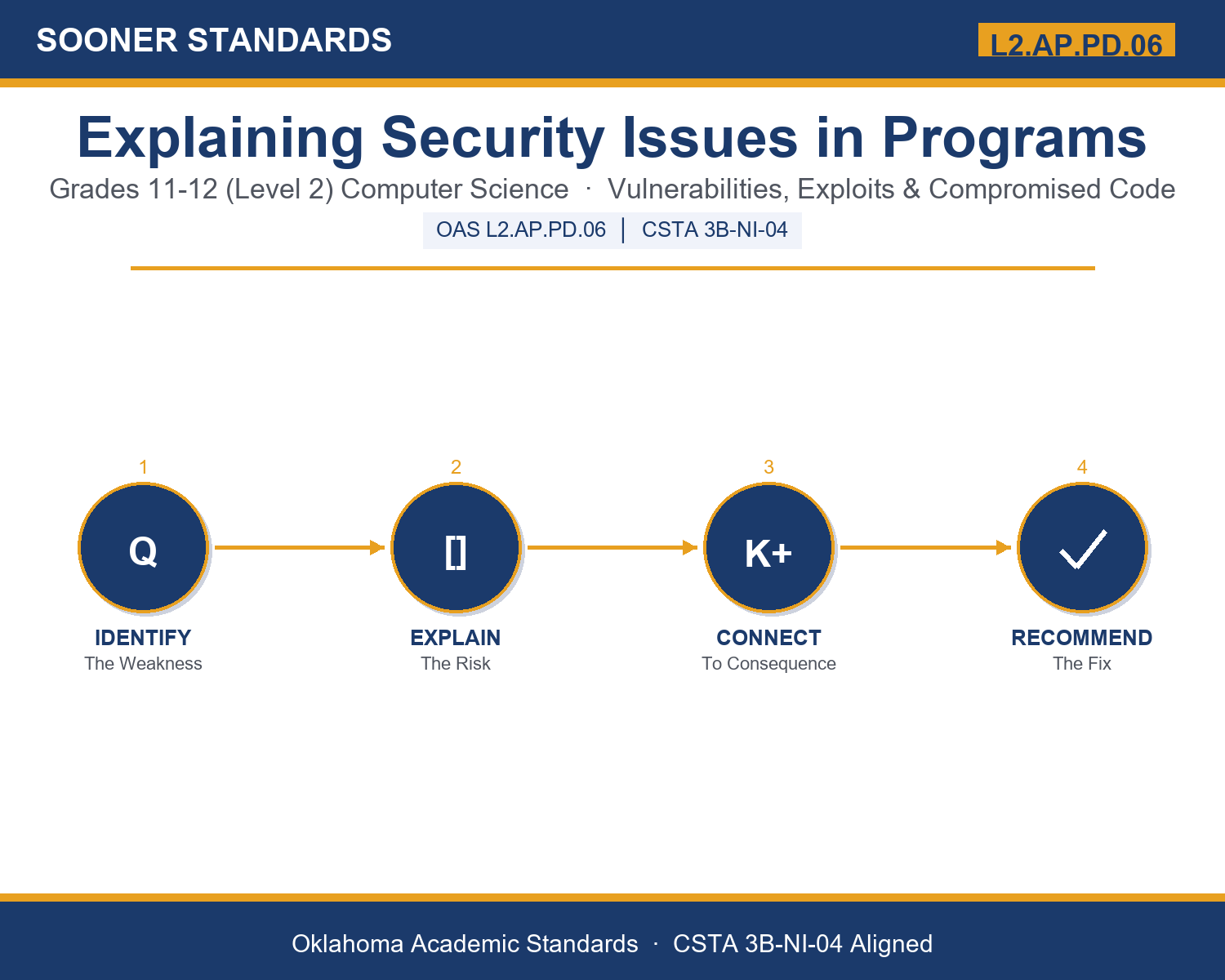
In student-friendly terms, the learning target is: "I can explain a security issue in a computer program by naming its category, describing the flawed design choice that causes it, and stating the specific consequence an attacker gains."
What Students Should Be Able to Do
- I can distinguish between a vulnerability and an exploit.
- I can identify whether a scenario describes injection, buffer overflow, broken authentication, or weak encryption.
- I can explain how validation, sanitization, encryption, and patching each defend against a specific security issue.
- I can connect a security issue to which of confidentiality, integrity, or availability it threatens.
Along the way, students pick up the working vocabulary of the topic: vulnerability, exploit, injection, overflow, validation, sanitization, authentication, encryption, malware, patch, threat, breach, hardening.
Cybersecurity Vulnerabilities: Misconceptions to Watch For
These are the wrong turns students reliably take with this standard — knowing them ahead of time is half the lesson plan. Each correction strategy below comes straight from the unit's teacher guide (the paragraph and activity references point into the unit itself).
1. "A security issue is the same thing as any ordinary bug or programming mistake."
Return to paragraph 1's distinction. Ask students what makes a mistake specifically a security issue rather than just a bug: it must be something an attacker could deliberately take advantage of to gain access, data, or control they should not have.
2. "Encryption automatically means data is completely safe no matter what."
Return to paragraph 5. Point out that weak or outdated encryption methods can already be broken by known techniques, and that encryption only protects data that is actually encrypted — data stored in plain text has no protection at all.
3. "Only 'hackers' with special tools can find or explain security issues; ordinary programmers don't need to think about it."
Return to paragraph 9's description of how security analysts and software engineers write and review vulnerability explanations as part of everyday professional work, not as a rare specialty.
4. "If a program has not been attacked yet, it does not have any real vulnerabilities."
Return to paragraph 1's point that not every vulnerability is exploited. A vulnerability is a weakness that exists in the program's design or code regardless of whether anyone has found and used it yet — that is exactly why responsible disclosure and patching happen before an attack occurs.
Discussion Starters You Can Use Tomorrow
- Why does responsible disclosure ask security researchers to report a vulnerability privately instead of publishing it immediately?
- Between a vulnerability that threatens availability and one that threatens confidentiality, which would you treat as more urgent to fix, and why?
- Why might a development team need a precise, structured vulnerability explanation instead of just being told 'this isn't secure'?
Bringing It Home
This topic is a natural one for families. One ten-minute activity to try: Together, look at the security settings on one shared family device or account (with a parent's permission and guidance) — things like two-step verification, automatic updates, or password requirements. Have your student explain, in their own words, what security issue each setting is designed to protect against. There are no wrong answers — the goal is hearing their reasoning about why the setting exists.
Where This Leads
Students who can explain a security issue in a computer program by naming its category, describing the flawed design choice that causes it, and stating the specific consequence an attacker gains are building skills used every day in cybersecurity / penetration testing, software engineering, security operations (SOC), risk and compliance, and systems administration.
See the Unit in Action
Get the Complete L2.AP.PD.06 Unit
I built a complete, no-prep unit for this standard — Explaining Security Issues: How Programs Get Compromised — covering 3-4 days of instruction across 44 pages:
- Teacher guide — day-by-day pacing, misconceptions to watch for, discussion questions, differentiation for support / ELL / extension, and a 4-point rubric
- Student learning target page — a kid-friendly "I can" statement with success criteria
- Full content lesson with 3 embedded "Check Your Understanding" checkpoints
- 12-question assessment (6 multiple choice, 4 true/false, 2 short answer) with a complete answer key, explanations, and exemplar responses
- Group activity — "Vulnerability Report Workshop" (25-30 minutes)
- Individual activity — "My Security Explanation Portfolio" (20-25 minutes)
- Crossword and word search built from all 13 vocabulary terms (with answer keys)
- Family connection letter — a plain-language page for parents, with dinner-table questions and a 10-minute home activity
- Certificate of achievement — ready to sign and send home
- Scenario Card Set: Explaining Security Issues (separate printable, 2 pages)
- Reference Notes: Security Issue Categories (separate printable, 2 pages)
- My Security Explanation Portfolio (separate printable, 2 pages)
Get Explaining Security Issues in Programs on Teachers Pay Teachers →
Also compared with CSTA 2017 3B-AP-18
Every Sooner Standards resource is built directly from the official Oklahoma Academic Standards for Computer Science (February 2023) — standard text taken directly from the source document.