Teaching One System, Two Halves in Grade 7: Oklahoma Standard 7.CS.D.01
Teaching One System, Two Halves in Grade 7: Oklahoma Standard 7.CS.D.01
Teaching hardware and software systems in grade 7 does not have to be complicated. Picture a systems engineer evaluating how hardware and software work together as a single combined system. That kind of thinking is exactly what Oklahoma's grade 7 computer science standard 7.CS.D.01 asks students to practice — and it is very teachable with the right materials. This post walks through what the standard means, the misconceptions students bring to it, and discussion starters you can use tomorrow, whether you teach in a classroom or at your kitchen table.
What Does Standard 7.CS.D.01 Actually Ask?
Evaluate existing computing devices and recommend improvements to the design based on how other users interact with the device. — Oklahoma Academic Standards for Computer Science (February 2023)
In plain language: Oklahoma's standard asks seventh graders to evaluate existing computing devices and recommend improvements based on how other users interact with the device.
In student-friendly terms, the learning target is: "I can evaluate existing computing devices and recommend improvements to the design based on how other users interact with the device."
What Students Should Be Able to Do
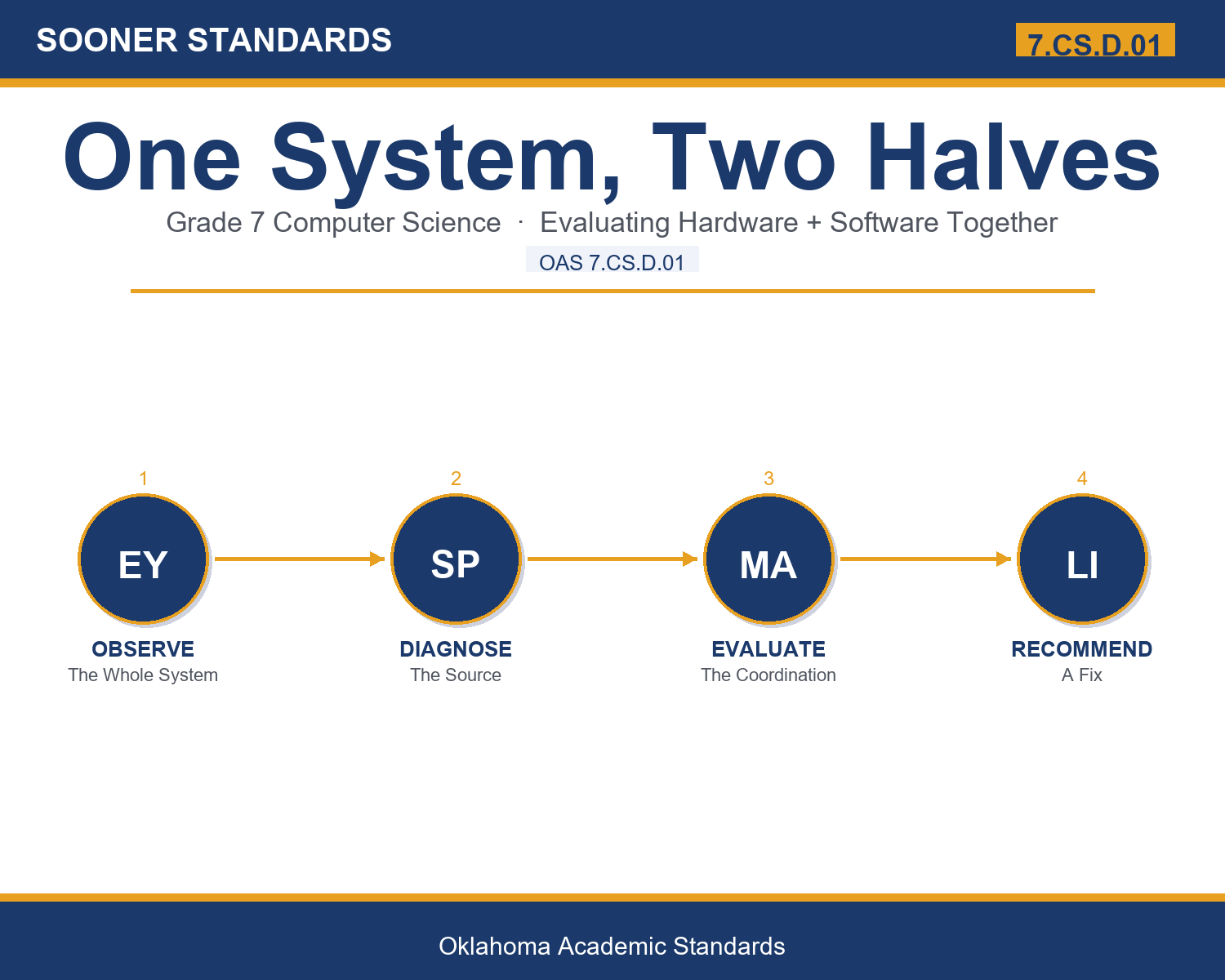
- I can carefully observe how someone else moves through a hardware-software system.
- I can distinguish whether a problem stems from hardware, software, or their combination.
- I can evaluate why a hardware-software combination causes an observed problem.
- I can recommend a specific improvement to hardware, software, or their coordination.
Along the way, students pick up the working vocabulary of the topic: hardware, software, system, friction, coordination, setup, navigate, interface, responsive, onboarding, holistic, experience.
Hardware And Software Systems: Misconceptions to Watch For
These are the wrong turns students reliably take with this standard — knowing them ahead of time is half the lesson plan. Each correction strategy below comes straight from the unit's teacher guide (the paragraph and activity references point into the unit itself).
1. "Hardware and software problems are always completely separate and unrelated."
Use paragraph 3's key point — friction can specifically arise from poor coordination between hardware and software, not just from either one alone.
2. "A device's setup process doesn't really affect how someone feels about using it long-term."
Reference paragraph 5 — setup forms a brand-new user's very first impression and can create lasting frustration if it's confusing.
3. "If a system feels slow or frustrating, it must be a software problem."
Point to paragraph 6 — users often can't tell whether a problem is hardware, software, or coordination based just from how it feels.
4. "A vague complaint about a device is just as useful as identifying the exact source of friction."
Clarify from paragraph 7 — specific recommendations that identify the correct source of friction give far more useful direction than vague complaints.
Discussion Starters You Can Use Tomorrow
- Why do you think a hardware specialist and a software specialist might each miss different problems on their own?
- What's an example of a setup process that assumes too much prior knowledge from a new user?
- Why might responsiveness affect how trustworthy a system feels, even if a user can't explain exactly why?
Bringing It Home
This topic is a natural one for families. One ten-minute activity to try: Together, watch a family member set up or navigate a device and discuss whether any confusion came from a physical button, an on-screen menu, or both working poorly together.
Where This Leads
Students who can evaluate existing computing devices and recommend improvements to the design based on how other users interact with the device are building skills used every day in systems engineering, UX/UI design, hardware product management, onboarding experience design, and computer science education.
See the Unit in Action
Get the Complete 7.CS.D.01 Unit
I built a complete, no-prep unit for this standard — Improving Hardware-Software Systems for Real Users — covering 3-4 days of instruction across 36 pages:
- Teacher guide — day-by-day pacing, misconceptions to watch for, discussion questions, differentiation for support / ELL / extension, and a 4-point rubric
- Student learning target page — a kid-friendly "I can" statement with success criteria
- Full content lesson with 3 embedded "Check Your Understanding" checkpoints
- 12-question assessment (6 multiple choice, 4 true/false, 2 short answer) with a complete answer key, explanations, and exemplar responses
- Group activity — "Diagnose the System Friction" (45-50 minutes)
- Individual activity — "Evaluate a Real Device's Whole System" (40-50 minutes)
- Crossword and word search built from all 12 vocabulary terms (with answer keys)
- Family connection letter — a plain-language page for parents, with dinner-table questions and a 10-minute home activity
- Certificate of achievement — ready to sign and send home
- System Diagnosis and Reference Materials (separate printable, 1 page)
Get One System, Two Halves on Teachers Pay Teachers →
Every Sooner Standards resource is built directly from the official Oklahoma Academic Standards for Computer Science (February 2023) — standard text taken directly from the source document.