Teaching Seeing Past the Spin in Grade 7: Oklahoma Standard 7.IC.SI.01
Teaching Seeing Past the Spin in Grade 7: Oklahoma Standard 7.IC.SI.01
Teaching evaluating online information in grade 7 does not have to be complicated. Picture a digital forensics analyst examining digital media to determine if it has been altered or manipulated. That kind of thinking is exactly what Oklahoma's grade 7 computer science standard 7.IC.SI.01 asks students to practice — and it is very teachable with the right materials. This post walks through what the standard means, the misconceptions students bring to it, and discussion starters you can use tomorrow, whether you teach in a classroom or at your kitchen table.
What Does Standard 7.IC.SI.01 Actually Ask?
Describe and use safe, appropriate, and responsible practices (i.e., netiquette) when participating in online communities and evaluate how technology can be used to distort, exaggerate, and misrepresent information. — Oklahoma Academic Standards for Computer Science (February 2023)
In plain language: Oklahoma's standard asks seventh graders to evaluate how technology can be used to distort, exaggerate, and misrepresent information shared online.
In student-friendly terms, the learning target is: "I can evaluate how technology can be used to distort, exaggerate, and misrepresent information."
What Students Should Be Able to Do
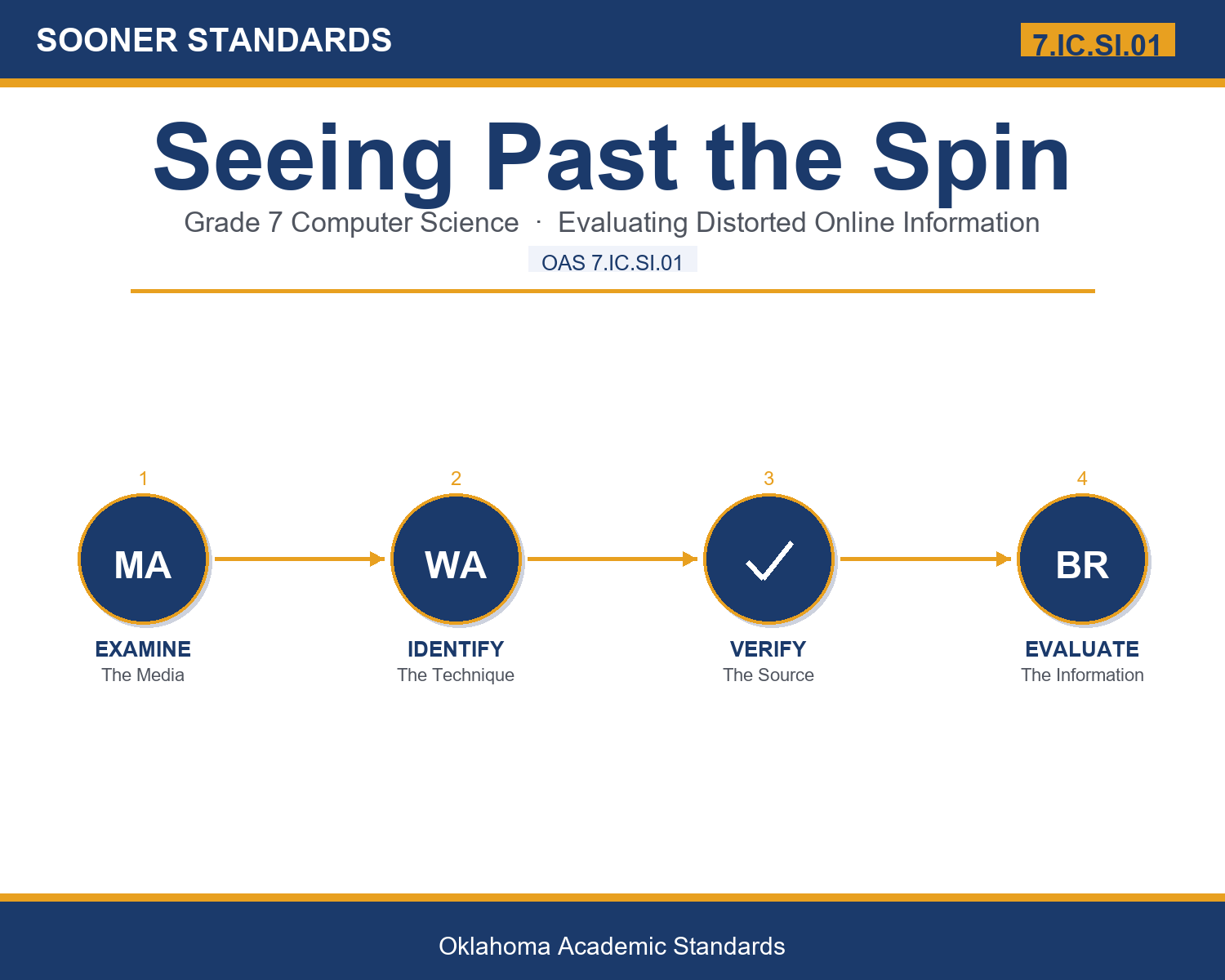
- I can clearly identify a specific technology technique used to distort information.
- I can clearly explain how the identified technique changes how information genuinely appears.
- I can evaluate information thoughtfully, citing specific evidence of distortion or exaggeration.
- I can thoughtfully connect evaluating information to safe, responsible online participation.
Along the way, students pick up the working vocabulary of the topic: distort, exaggerate, misrepresent, evaluate, context, manipulate, credible, verify, authentic, source, bias, fabricate.
Evaluating Online Information: Misconceptions to Watch For
These are the wrong turns students reliably take with this standard — knowing them ahead of time is half the lesson plan. Each correction strategy below comes straight from the unit's teacher guide (the paragraph and activity references point into the unit itself).
1. "If a photo hasn't been digitally edited, it can't be used to misrepresent information."
Use paragraphs 3-4's key point — cropping and misleading captions can misrepresent accurate, unaltered photos.
2. "A short video clip always accurately represents the full original video."
Reference paragraph 5 — an out-of-context clip can leave out important context that changes the meaning.
3. "A dramatic, exaggerated headline always reflects how significant the underlying information actually is."
Point to paragraph 6 — exaggerated headlines use extreme language to attract attention, regardless of the information's actual significance.
4. "Recognizing a source's bias means you should automatically distrust everything that source reports."
Clarify from paragraph 8 — bias means evaluating claims more thoughtfully, not automatically dismissing a source entirely.
Discussion Starters You Can Use Tomorrow
- Why do you think exaggerated headlines tend to attract more attention than accurate, measured ones?
- What's an example of a time checking the original source of information would have been helpful?
- Why might a digital forensics analyst need specialized tools to determine if an image has been altered?
Bringing It Home
This topic is a natural one for families. One ten-minute activity to try: Together, find an online photo, video, or headline and discuss whether any specific technique, like cropping or an exaggerated headline, might be affecting how it appears.
Where This Leads
Students who can evaluate how technology can be used to distort, exaggerate, and misrepresent information are building skills used every day in digital forensics, journalism, trust and safety, media literacy education, and computer science education.
See the Unit in Action
Get the Complete 7.IC.SI.01 Unit
I built a complete, no-prep unit for this standard — Evaluating Distorted and Misleading Online Information — covering 3-4 days of instruction across 35 pages:
- Teacher guide — day-by-day pacing, misconceptions to watch for, discussion questions, differentiation for support / ELL / extension, and a 4-point rubric
- Student learning target page — a kid-friendly "I can" statement with success criteria
- Full content lesson with 3 embedded "Check Your Understanding" checkpoints
- 12-question assessment (6 multiple choice, 4 true/false, 2 short answer) with a complete answer key, explanations, and exemplar responses
- Group activity — "Spot the Distortion Technique" (45-50 minutes)
- Individual activity — "Build a Verification Checklist" (40-50 minutes)
- Crossword and word search built from all 12 vocabulary terms (with answer keys)
- Family connection letter — a plain-language page for parents, with dinner-table questions and a 10-minute home activity
- Certificate of achievement — ready to sign and send home
- Evaluation Practice and Reference Materials (separate printable, 1 page)
Get Seeing Past the Spin on Teachers Pay Teachers →
Every Sooner Standards resource is built directly from the official Oklahoma Academic Standards for Computer Science (February 2023) — standard text verified, never paraphrased from memory.