Teaching Built for Everyone in Grade 5: Oklahoma Standard 5.IC.CU.02
Teaching Built for Everyone in Grade 5: Oklahoma Standard 5.IC.CU.02
Teaching digital accessibility in grade 5 does not have to be complicated. Picture technology companies running whole teams that test products with users of many abilities. That kind of thinking is exactly what Oklahoma's grade 5 computer science standard 5.IC.CU.02 asks students to practice — and it is very teachable with the right materials. This post walks through what the standard means, the misconceptions students bring to it, and discussion starters you can use tomorrow, whether you teach in a classroom or at your kitchen table.
What Does Standard 5.IC.CU.02 Actually Ask?
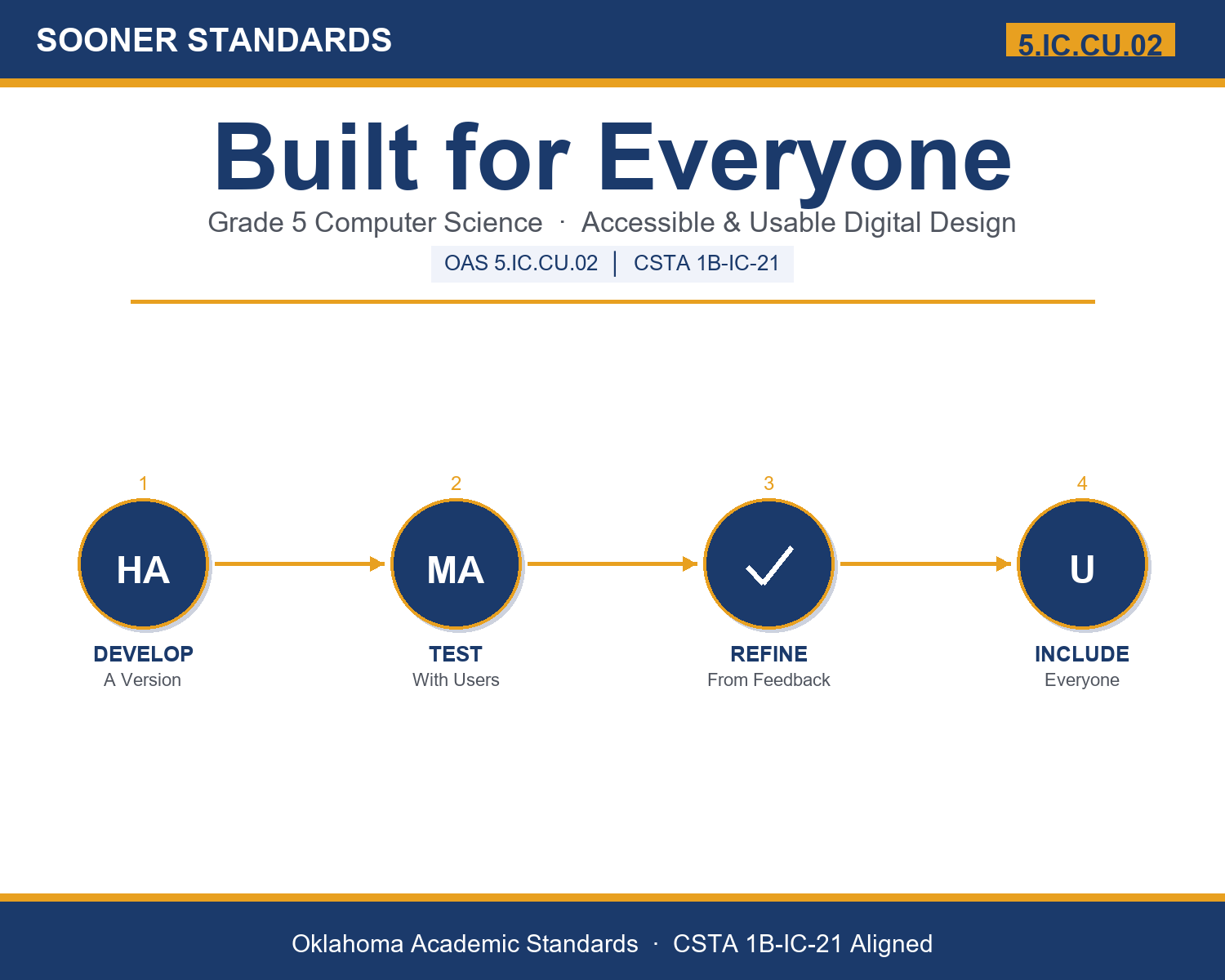
Develop, test, and refine digital artifacts to improve accessibility and usability. — Oklahoma Academic Standards for Computer Science (February 2023)
In plain language: Oklahoma's standard asks fifth graders to develop, test, and refine the digital things they make, such as slideshows, posters, videos, or apps, so they are accessible (everyone can use them) and usable (easy to understand without confusion).
In student-friendly terms, the learning target is: "I can develop, test, and refine a digital artifact to make it more accessible and usable for everyone."
What Students Should Be Able to Do
- I can explain what accessibility and usability mean.
- I can name accessibility features like captions, contrast, large text, and big buttons.
- I can test an artifact with users and use their feedback to refine it.
- I can explain how designing for some users improves the artifact for everyone.
Along the way, students pick up the working vocabulary of the topic: contrast, improve, usable, feedback, digital, refine, artifact, navigate, caption, access, interface, design.
Digital Accessibility: Misconceptions to Watch For
These are the wrong turns students reliably take with this standard — knowing them ahead of time is half the lesson plan. Each correction strategy below comes straight from the unit's teacher guide (the paragraph and activity references point into the unit itself).
1. "Accessibility features only help a small group and make the artifact worse for everyone else."
Use paragraphs 6-7 and the curb-cut and caption examples. Designing for accessibility (contrast, large text, captions, big buttons) almost always improves the artifact for every user.
2. "You can tell if your artifact is usable just by checking it yourself."
Paragraph 5: you already know how it works, so you cannot see the problems. Only testing with different users reveals what blocks or confuses real people.
3. "Accessibility is just being nice and is optional."
Paragraphs 2 and 8: accessibility is a basic part of good design, often required by law and accessibility guidelines, and it grows the audience for any product.
4. "You should perfect an artifact before testing it."
Paragraph 4: develop a prototype and test early, because testing early catches problems while they are cheap to fix. Develop, test, refine, repeat.
Discussion Starters You Can Use Tomorrow
- Have you ever used an app or website that was really confusing? What made it hard, and how would you fix it?
- Think of a video you watched with captions on. When were captions helpful even if you could hear fine?
- Why might a classmate notice a problem in your project that you cannot see yourself?
Bringing It Home
This topic is a natural one for families. One ten-minute activity to try: Explore the accessibility settings on a phone or tablet together, such as captions, text size, color contrast, or voice control. Turn one on and talk about who it helps and how it might help your whole family. Then ask your child to name one thing they have made (a video, a slideshow) and one way they could make it work for more people.
Where This Leads
Students who can develop, test, and refine a digital artifact to make it more accessible and usable for everyone are building skills used every day in user experience design, web development, software accessibility, game design, and product design.
Part of the Complete Grade 5 Computer Science Curriculum
This lesson covers just one standard. It is part of a complete grade 5 computer science curriculum aligned to every Oklahoma OAS CS standard. See the full listing — every standard, organized by strand — here: Grade 5 Computer Science Curriculum: Every Oklahoma OAS CS Standard.
See the Unit in Action
Get the Complete 5.IC.CU.02 Unit
I built a complete, no-prep unit for this standard — Built for Everyone: Making Digital Work Accessible and Easy to Use — covering 3-4 days of instruction across 40 pages:
- Teacher guide — day-by-day pacing, misconceptions to watch for, discussion questions, differentiation for support / ELL / extension, and a 4-point rubric
- Student learning target page — a kid-friendly "I can" statement with success criteria
- Full content lesson with 3 embedded "Check Your Understanding" checkpoints
- 12-question assessment (6 multiple choice, 4 true/false, 2 short answer) with a complete answer key, explanations, and exemplar responses
- Group activity — "Accessibility Inspectors: Test and Refine" (25-30 minutes)
- Individual activity — "My Accessibility Makeover" (15-20 minutes)
- Crossword and word search built from all 12 vocabulary terms (with answer keys)
- Family connection letter — a plain-language page for parents, with dinner-table questions and a 10-minute home activity
- Certificate of achievement — ready to sign and send home
- Artifact Inspection Cards (separate printable, 2 pages)
- Accessibility and Usability Checklist (separate printable, 2 pages)
- My Accessibility Makeover (separate printable, 1 page)
Get Built for Everyone on Teachers Pay Teachers →
Also aligned to CSTA 1B-IC-21: Develop, test, and refine digital artifacts to improve usability and accessibility.
Every Sooner Standards resource is built directly from the official Oklahoma Academic Standards for Computer Science (February 2023) — standard text verified, never paraphrased from memory.