Teaching Critically Examining Classic Algorithms in Grades 11-12 (Level 2): Oklahoma Standard L2.AP.A.03
Teaching Critically Examining Classic Algorithms in Grades 11-12 (Level 2): Oklahoma Standard L2.AP.A.03
Teaching sorting and searching algorithms in grades 11-12 (level 2) does not have to be complicated. Picture a software engineer tracing a broken sort or search function by hand during code review before approving a production change. That kind of thinking is exactly what Oklahoma's grades 11-12 (level 2) computer science standard L2.AP.A.03 asks students to practice — and it is very teachable with the right materials. This post walks through what the standard means, the misconceptions students bring to it, and discussion starters you can use tomorrow, whether you teach in a classroom or at your kitchen table.
What Does Standard L2.AP.A.03 Actually Ask?
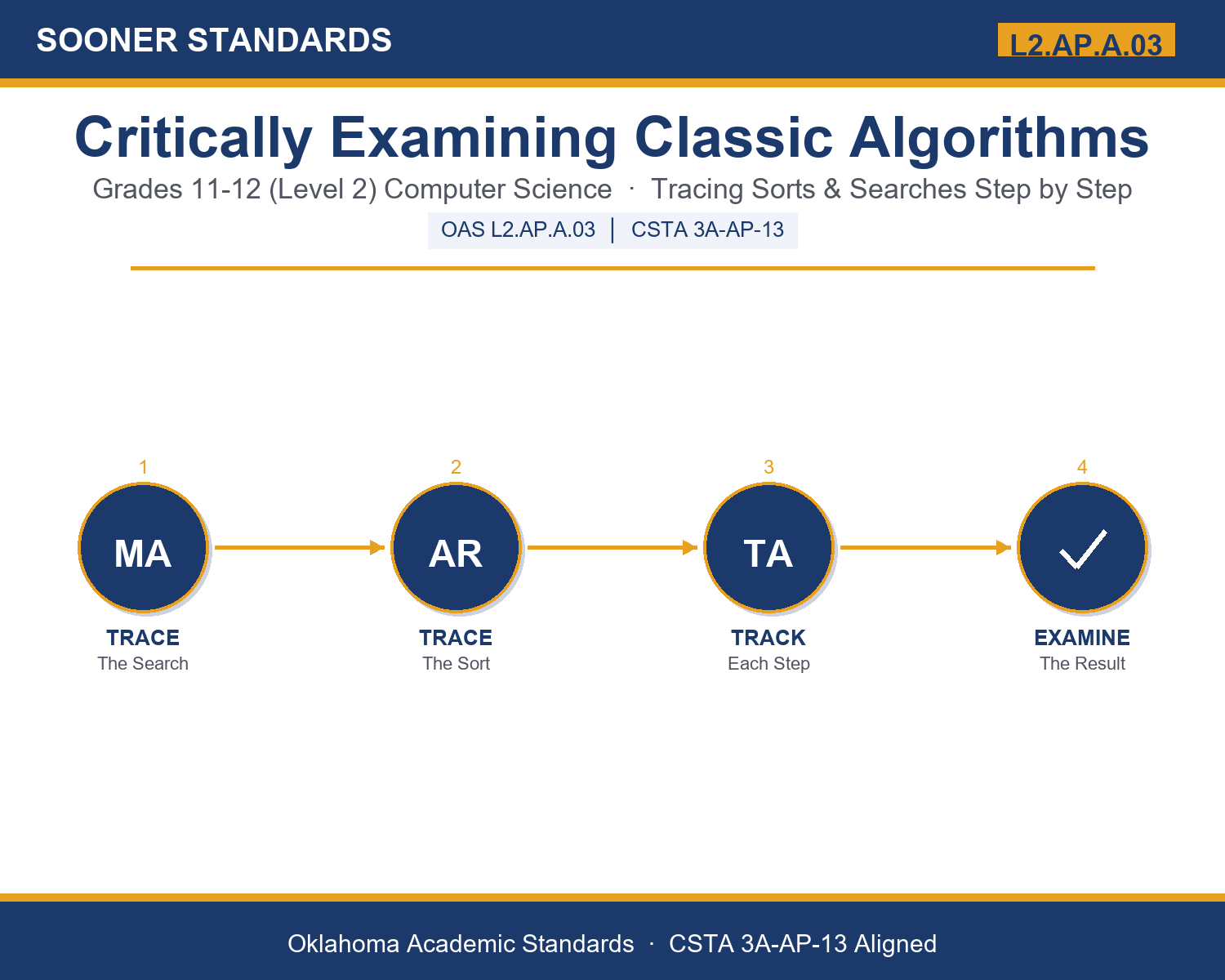
Critically examine and trace classic algorithms (e.g., selection sort, insertion sort, binary search, linear search). — Oklahoma Academic Standards for Computer Science (February 2023)
In plain language: This standard asks students to trace exactly how a search or sort process runs: what it compares, what it changes, and what condition it needs to work correctly.
In student-friendly terms, the learning target is: "I can critically examine and trace a classic search or sort algorithm by stepping through its comparisons and swaps in order, and I can explain what conditions the algorithm depends on to work correctly."
What Students Should Be Able to Do
- I can trace linear search, counting each comparison until a match or the end of the list.
- I can trace binary search, tracking the low, high, and midpoint indices as the search range shrinks.
- I can trace selection sort and insertion sort, showing the list's state after every pass.
- I can explain a precondition an algorithm depends on (such as sorted data for binary search) and predict what happens if that condition is not met.
Along the way, students pick up the working vocabulary of the topic: algorithm, linear, binary, sorted, iteration, comparison, swap, index, midpoint, trace, efficiency, selection, insertion, pass.
Sorting And Searching Algorithms: Misconceptions to Watch For
These are the wrong turns students reliably take with this standard — knowing them ahead of time is half the lesson plan. Each correction strategy below comes straight from the unit's teacher guide (the paragraph and activity references point into the unit itself).
1. "Binary search can be used on any list, sorted or not, as long as you know the target value."
Return to paragraph 3's trace. Run binary search on a deliberately unsorted list and show that it can eliminate the correct half incorrectly, producing a wrong answer that looks plausible unless you check it against a linear search on the same data.
2. "Selection sort and insertion sort always perform the same amount of work, since they both produce a sorted list."
Trace both algorithms on the same already-sorted list side by side. Count selection sort's comparisons, which stay high because it scans the full remaining portion every pass, against insertion sort's comparisons, which drop sharply because little shifting is needed.
3. "A search algorithm 'not finding' a value means the algorithm made a mistake."
Trace a linear search or binary search for a value that is genuinely not in the list, and show that correctly reporting 'not found' after checking the right places is a correct result, not an error.
4. "Tracing an algorithm by hand is only useful for beginners; professionals just run the code and read the output."
Connect to paragraph 8's discussion of debugging. Explain that when output is wrong, running the code again gives the same wrong output — tracing by hand or with a debugger is what actually reveals which step produced the error.
Discussion Starters You Can Use Tomorrow
- Why does binary search need sorted data, but linear search does not?
- If you already know a list is sorted, is there ever a good reason to use linear search anyway?
- Describe a real-world process (not a computer program) that works like insertion sort — placing something new into its correct spot among items already in order.
Bringing It Home
This topic is a natural one for families. One ten-minute activity to try: Together, sort a small stack of playing cards, receipts, or mail by hand while your student narrates each step out loud the way a computer scientist would: what they compare, what they move, and how they decide something is in its correct spot. There are no wrong answers — the goal is hearing their reasoning about each step.
Where This Leads
Students who can critically examine and trace a classic search or sort algorithm by stepping through its comparisons and swaps in order, and explain what conditions the algorithm depends on to work correctly are building skills used every day in software engineering, data science / data analysis, systems / database engineering, quality assurance / test engineering, and computer science education.
See the Unit in Action
Get the Complete L2.AP.A.03 Unit
I built a complete, no-prep unit for this standard — Critically Examining Classic Algorithms: Tracing Sorts and Searches — covering 3-4 days of instruction across 43 pages:
- Teacher guide — day-by-day pacing, misconceptions to watch for, discussion questions, differentiation for support / ELL / extension, and a 4-point rubric
- Student learning target page — a kid-friendly "I can" statement with success criteria
- Full content lesson with 3 embedded "Check Your Understanding" checkpoints
- 12-question assessment (6 multiple choice, 4 true/false, 2 short answer) with a complete answer key, explanations, and exemplar responses
- Group activity — "Trace It Out: Sorting and Searching by Hand" (25-30 minutes)
- Individual activity — "My Algorithm Trace Portfolio" (20-25 minutes)
- Crossword and word search built from all 14 vocabulary terms (with answer keys)
- Family connection letter — a plain-language page for parents, with dinner-table questions and a 10-minute home activity
- Certificate of achievement — ready to sign and send home
- Trace Card Set: Classic Algorithms (separate printable, 2 pages)
- Reference Notes: Tracing Classic Algorithms (separate printable, 2 pages)
- My Algorithm Trace Portfolio (separate printable, 2 pages)
Get Critically Examining Classic Algorithms on Teachers Pay Teachers →
Also compared with CSTA 2017 3B-AP-10
Every Sooner Standards resource is built directly from the official Oklahoma Academic Standards for Computer Science (February 2023) — standard text taken directly from the source document.