Teaching Usability vs. Security: Weighing the Tradeoffs in Grades 9-10 (Level 1): Oklahoma Standard L1.NI.CY.01
Teaching Usability vs. Security: Weighing the Tradeoffs in Grades 9-10 (Level 1): Oklahoma Standard L1.NI.CY.01
Teaching cybersecurity usability tradeoffs in grades 9-10 (level 1) does not have to be complicated. Picture a hospital IT team deciding how many login steps to require for patient records access. That kind of thinking is exactly what Oklahoma's grades 9-10 (level 1) computer science standard L1.NI.CY.01 asks students to practice — and it is very teachable with the right materials. This post walks through what the standard means, the misconceptions students bring to it, and discussion starters you can use tomorrow, whether you teach in a classroom or at your kitchen table.
What Does Standard L1.NI.CY.01 Actually Ask?
Compare physical and cybersecurity measures by evaluating trade-offs between the usability and security of a computing system and the risks of an attack. — Oklahoma Academic Standards for Computer Science (February 2023)
In plain language: This standard asks Level 1 students (grades 9-10) to compare physical security (like locked doors) and cybersecurity (like passwords) by weighing how much a measure inconveniences a user against how well it protects a system, and how risky an attack on that system actually is.
In student-friendly terms, the learning target is: "I can compare physical and cybersecurity measures by evaluating the tradeoffs between usability, security, and the risk of an attack."
What Students Should Be Able to Do
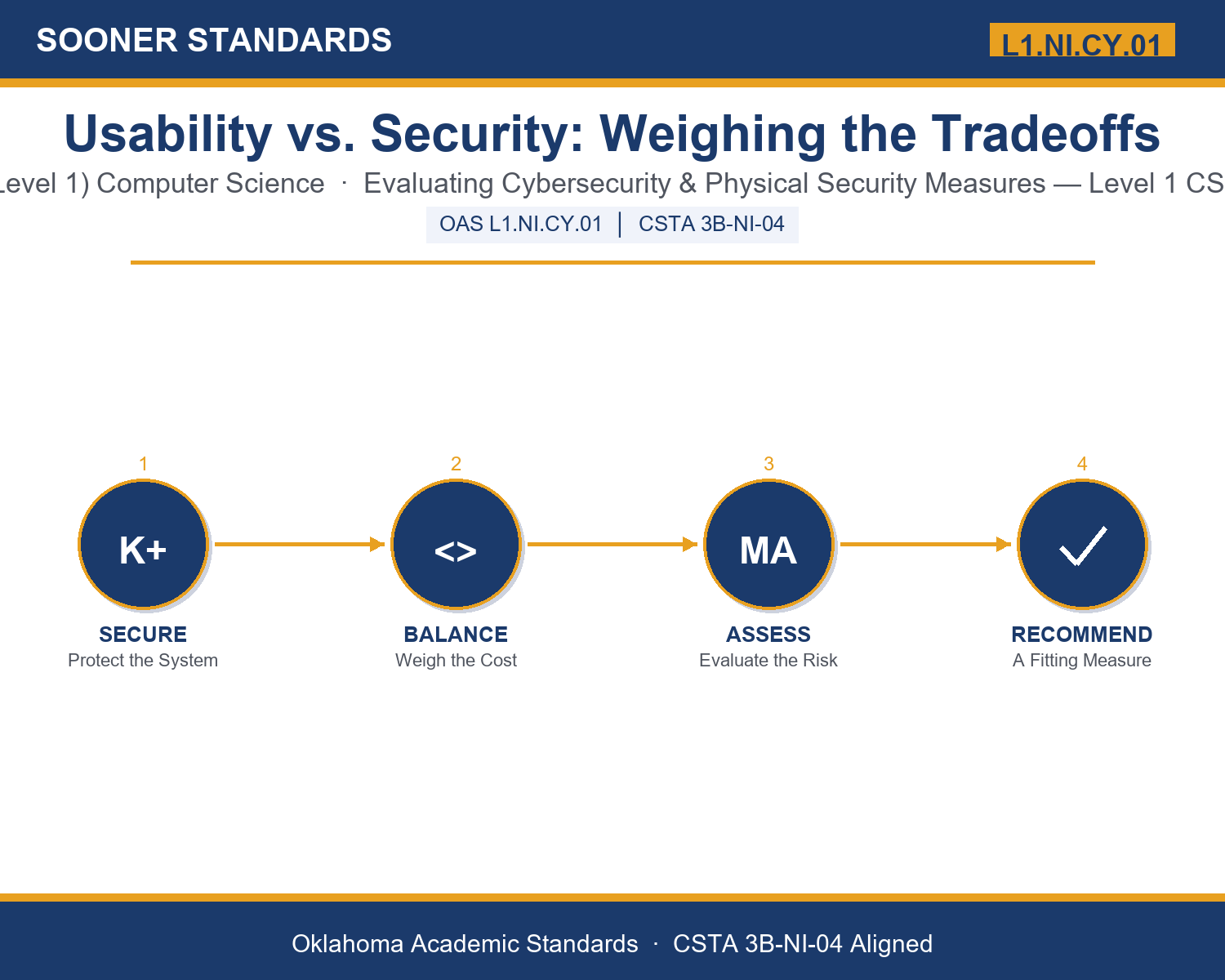
- I can distinguish physical security measures from cybersecurity measures.
- I can describe the usability cost and the protection provided by a given security measure.
- I can assess the risk level of a scenario based on likelihood and potential harm.
- I can recommend a security measure that is proportionate to a scenario's actual risk.
Along the way, students pick up the working vocabulary of the topic: cybersecurity, usability, tradeoff, vulnerability, authentication, encryption, firewall, biometric, phishing, malware, breach, risk, mitigation.
Cybersecurity Usability Tradeoffs: Misconceptions to Watch For
These are the wrong turns students reliably take with this standard — knowing them ahead of time is half the lesson plan. Each correction strategy below comes straight from the unit's teacher guide (the paragraph and activity references point into the unit itself).
1. "More security is always better, no matter the cost to usability."
Return to paragraph 8. A security measure with too high a usability cost can get bypassed by real users, which can weaken actual security rather than strengthen it.
2. "Cybersecurity and physical security are separate, unrelated concerns."
Point back to paragraph 5. Digital defenses mean little if hardware is left physically accessible, and physical security means little if the data on that hardware is unencrypted — they work together.
3. "A strong security measure eliminates all risk completely."
Emphasize paragraph 7's distinction between mitigation and elimination. Every measure only reduces risk; a breach can still occur even at a well-defended organization.
4. "The same security policy should apply equally to every system, regardless of what it protects."
Revisit paragraph 6's risk discussion. Matching the strength of a measure to the actual risk of what it protects, rather than applying one blanket policy everywhere, is the mark of mature security thinking.
Discussion Starters You Can Use Tomorrow
- Think of an app or account you use that stores sensitive information. What security measures protect it, and do you think the usability cost is worth the protection?
- Why might a hospital reasonably accept a slower login process for patient records than a public website would accept for its homepage?
- Describe a security measure you think is poorly designed because its usability cost is too high relative to what it protects. What would you change about it?
Bringing It Home
This topic is a natural one for families. One ten-minute activity to try: Together, walk through your home or a device you own and list two or three security measures already in place (a lock, a passcode, a security camera app). For each one, talk about what it protects against and what it costs in convenience. Decide together whether you think the tradeoff is worth it, or whether something should change.
Where This Leads
Students who can compare physical and cybersecurity measures by evaluating the tradeoffs between usability, security, and the risk of an attack are building skills used every day in cybersecurity analysis, IT security administration, UX design, and physical security consulting.
See the Unit in Action
Get the Complete L1.NI.CY.01 Unit
I built a complete, no-prep unit for this standard — Usability vs. Security: Evaluating Trade-Offs in Cybersecurity Design — covering 3-4 days of instruction across 43 pages:
- Teacher guide — day-by-day pacing, misconceptions to watch for, discussion questions, differentiation for support / ELL / extension, and a 4-point rubric
- Student learning target page — a kid-friendly "I can" statement with success criteria
- Full content lesson with 3 embedded "Check Your Understanding" checkpoints
- 12-question assessment (6 multiple choice, 4 true/false, 2 short answer) with a complete answer key, explanations, and exemplar responses
- Group activity — "Evaluate the Tradeoff: Security Measure Case Studies" (25-30 minutes)
- Individual activity — "My Security Audit" (20 minutes)
- Crossword and word search built from all 13 vocabulary terms (with answer keys)
- Family connection letter — a plain-language page for parents, with dinner-table questions and a 10-minute home activity
- Certificate of achievement — ready to sign and send home
- Scenario Card Set: Evaluate the Tradeoff (separate printable, 2 pages)
- Reference Sheet: Evaluating Risk and Tradeoffs (separate printable, 2 pages)
- My Security Audit (separate printable, 2 pages)
Get Usability vs. Security: Weighing the Tradeoffs on Teachers Pay Teachers →
Also aligned to CSTA 3B-NI-04: Compare ways software developers protect devices and information from unauthorized access.
Every Sooner Standards resource is built directly from the official Oklahoma Academic Standards for Computer Science (February 2023) — standard text verified, never paraphrased from memory.