Teaching Programs That Use Variables in Grade 5: Oklahoma Standard 5.AP.V.01
Teaching Programs That Use Variables in Grade 5: Oklahoma Standard 5.AP.V.01
Teaching coding variables in grade 5 does not have to be complicated. Picture a video game using a SCORE variable that increases as you play. That kind of thinking is exactly what Oklahoma's grade 5 computer science standard 5.AP.V.01 asks students to practice — and it is very teachable with the right materials. This post walks through what the standard means, the misconceptions students bring to it, and discussion starters you can use tomorrow, whether you teach in a classroom or at your kitchen table.
What Does Standard 5.AP.V.01 Actually Ask?
Create programs that use variables to store and modify grade level appropriate data. — Oklahoma Academic Standards for Computer Science (February 2023)
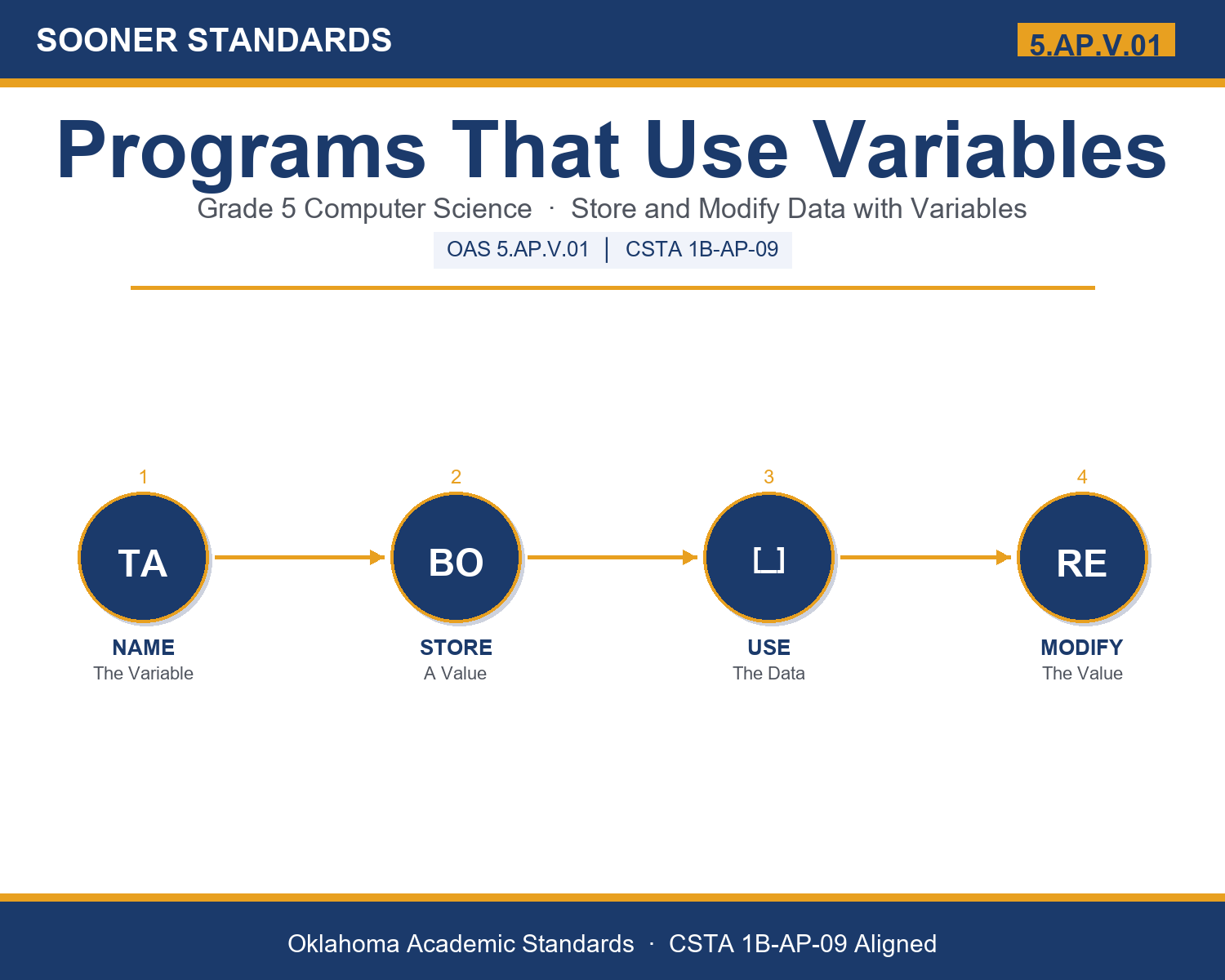
In plain language: Oklahoma's standard asks fifth graders to create simple programs that use variables to store information and then change it, such as a score that goes up or a timer that counts down.
In student-friendly terms, the learning target is: "I can create a simple program that uses a variable to store data and modify it while the program runs."
What Students Should Be Able to Do
- I can explain what a variable is and name its two parts, the name and the value.
- I can store a value in a variable and choose whether the data is a number or text.
- I can modify a variable, such as adding to a score or counting down a timer.
- I can trace how a variable's value changes through the steps of a program.
Along the way, students pick up the working vocabulary of the topic: repeat, points, program, value, store, data, label, count, assign, name, variable, number, modify.
Coding Variables: Misconceptions to Watch For
These are the wrong turns students reliably take with this standard — knowing them ahead of time is half the lesson plan. Each correction strategy below comes straight from the unit's teacher guide (the paragraph and activity references point into the unit itself).
1. "A variable's value is fixed and cannot change once set."
Use paragraph 4. The whole point of a variable is that it can vary. Demonstrate SCORE going from 0 to 10 to 25 by modifying it on the board.
2. "A variable is the same as its value (the number itself)."
Use the labeled-jar image in paragraph 2. The variable is the named container; the value is what is inside. The container stays even when the value changes.
3. "Variables can only hold numbers."
Use paragraph 3. Variables also hold text (strings) like names and messages. Have students name a number variable and a text variable.
4. "Any short name like x is just as good as a descriptive name."
Use paragraph 7. Read a program with vague names versus clear names. Descriptive names like SCORE make programs far easier to understand and fix.
Discussion Starters You Can Use Tomorrow
- What information would a favorite game need to remember, and what variables might store it?
- Why do you think programmers use the word variable instead of just calling it a number?
- Can you think of a variable in everyday life, like a scoreboard, that gets modified over time?
Bringing It Home
This topic is a natural one for families. One ten-minute activity to try: Together, play a quick game or keep score of something at home, and notice the number that changes, that is just like a variable. Then help your child invent a tiny pretend program: name a variable, give it a starting value on a sticky note, and change the value a few times, saying out loud how it was modified each time.
Where This Leads
Students who can create a simple program that uses a variable to store data and modify it while the program runs are building skills used every day in software programming, video game design, app development, robotics, and data science.
Part of the Complete Grade 5 Computer Science Curriculum
This lesson covers just one standard. It is part of a complete grade 5 computer science curriculum aligned to every Oklahoma OAS CS standard. See the full listing — every standard, organized by strand — here: Grade 5 Computer Science Curriculum: Every Oklahoma OAS CS Standard.
See the Unit in Action
Get the Complete 5.AP.V.01 Unit
I built a complete, no-prep unit for this standard — Creating Programs That Use Variables to Store and Modify Data — covering 3-4 days of instruction across 37 pages:
- Teacher guide — day-by-day pacing, misconceptions to watch for, discussion questions, differentiation for support / ELL / extension, and a 4-point rubric
- Student learning target page — a kid-friendly "I can" statement with success criteria
- Full content lesson with 3 embedded "Check Your Understanding" checkpoints
- 12-question assessment (6 multiple choice, 4 true/false, 2 short answer) with a complete answer key, explanations, and exemplar responses
- Group activity — "Be the Program: Store and Modify a Variable" (25-30 minutes)
- Individual activity — "Trace the Variable" (15-20 minutes)
- Crossword and word search built from all 13 vocabulary terms (with answer keys)
- Family connection letter — a plain-language page for parents, with dinner-table questions and a 10-minute home activity
- Certificate of achievement — ready to sign and send home
- Build a Program with Variables Planner (separate printable, 1 page)
- Variables & Programs Reference Notes (separate printable, 1 page)
- Trace the Variable (separate printable, 1 page)
Get Programs That Use Variables on Teachers Pay Teachers →
Also aligned to CSTA 1B-AP-09: Create programs that use variables to store and modify data.
Every Sooner Standards resource is built directly from the official Oklahoma Academic Standards for Computer Science (February 2023) — standard text verified, never paraphrased from memory.